Self-hosted app·Wikis and learning
Wiki.js hosting
on a Panama City VPS.
Wiki.js hosting in Panama City: Wiki.js 3 with PostgreSQL 18 in Docker on a 4 vCPU / 4 GB VPS. Sizing, compose file, backups, limits.
- Wiki.js
- Node.js
- PostgreSQL
- Caddy
PTY1·Panama City
In stockRecommended for this use case
- 1 Gbps port15 TB of transfer a monthIncluded
- Debian 13preinstalled with the orderIncluded
- DDoS protection, 1 IPv4VNC console and full rootIncluded
Optional: daily backups +20% · extra IPv4 $2 · priority support $10
Pay yearly: $116.99 a year, about 25% less
- No KYC
- Crypto only
- Panama jurisdiction
- 4 vCPU, 4 GB RAM
- 160 GB NVMe local storage
- 15 TB transfer on a 1 Gbps port
- DDoS protection included
- Panamanian law
01/07
Short answer.
Yes. Wiki.js runs on our Cloud VPS Standard plan in PTY1, Panama City (4 vCPU, 4 GB of RAM, 160 GB NVMe and 15 TB of transfer a month for $12.99) as a three-container Docker Compose stack: Wiki.js, PostgreSQL 18 and Caddy for TLS. The detail that matters most right now is the version. Wiki.js 3.0 became stable on 1 November 2026, it runs only on PostgreSQL 17 or 18, and there is no in-place upgrade from 2.x. Start a new wiki on 3.x, and move an existing 2.x wiki with the export and import tools rather than by changing an image tag.
02/07
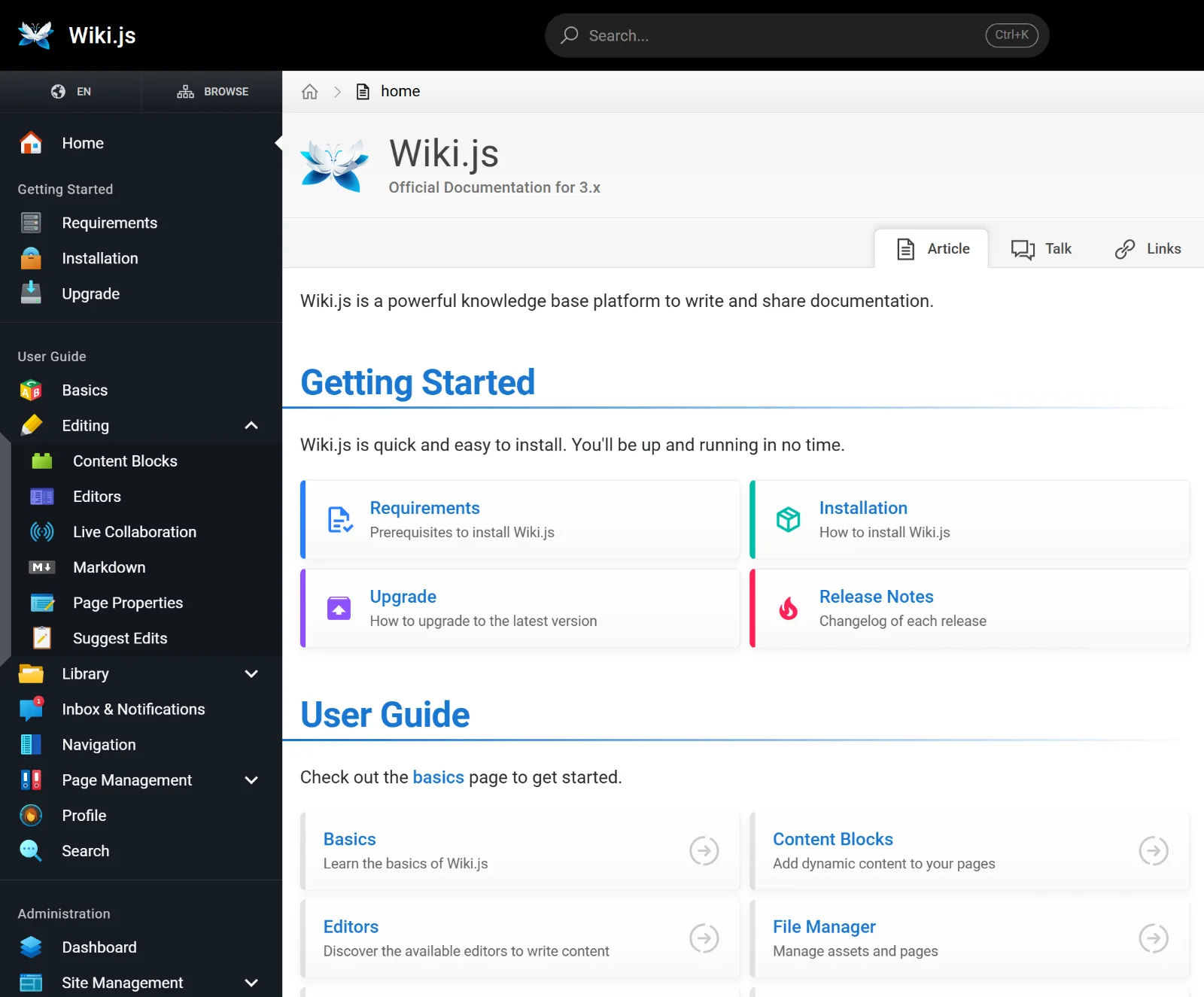
What Wiki.js is
and who runs it.
Wiki.js is an open-source wiki engine built on Node.js, released under the AGPL and developed on GitHub under the requarks organisation, with Nicolas Giard as project lead. Version 3.0 rewrites both the backend and the frontend. One instance can now serve several sites, each with its own hostname, theme and login configuration, while users and groups stay shared across the instance. Editing is collaborative in real time, pages can embed more than 25 built-in content blocks, and approval rules let one group (guests included) submit changes that another group reviews before they go live. Content is written in Markdown, AsciiDoc or a visual editor that stores Markdown underneath, and can be kept in sync with a Git repository.
Most installations are internal documentation: runbooks, network diagrams, onboarding notes, the decisions that otherwise disappear into chat history. Public knowledge bases are the other common case. The licence only matters if you modify the code, in which case people using your modified version over the network are entitled to its source. The 2.x branch has not been abandoned either: the project's security policy lists both 2.x and 3.x as supported, and 2.x received security fixes as recently as April 2026.
Our servers are in Panama City and answer to Panamanian law. A US DMCA notice has no legal effect here, and we act only on valid orders from competent Panamanian authorities.
03/07
Requirements and sizing.
| Documented for Wiki.js 3 | Cloud VPS Standard | |
|---|---|---|
| CPU | Runs on 1 core; 2 or more recommended for the background workers | 4 vCPU |
| Memory | At least 1 GB on Linux | 4 GB |
| Disk | At least 1 GB for content, plus about 850 MB for the Docker image | 160 GB NVMe |
| Database | PostgreSQL 17 or 18 with the ltree and pg_trgm extensions | Same VPS, official postgres:18 image (extensions included) |
| Runtime | Node.js 26, bundled in the Docker image | — |
| Network | HTTP and WebSockets on port 3000; outbound HTTPS to api.github.com, github.com and api.iconify.design | 1 Gbps, 15 TB/month included |
| Hostname | A dedicated domain or subdomain; sub-folder installs are not supported | — |
The documented floor describes Wiki.js on its own. On a single VPS you also run PostgreSQL, which wants memory for its cache, and the Docker image ships every extension, including Sharp for image processing and Puppeteer, which drives a headless Chromium. Background workers take care of search index rebuilds, webhooks and final page rendering, and live collaboration runs over WebSockets. Starter (2 vCPU, 2 GB, $6.99) clears the minimum and is a fair choice for a personal wiki with a few editors. For a team we recommend Standard, because a browser process and a database sharing 2 GB is where small servers start to swap. Move to Pro (6 vCPU, 8 GB, $22.99) if one instance serves several busy sites or the machine runs other services too.
Disk is rarely the constraint; a text-only wiki stays in the megabytes, and 160 GB leaves room for years of screenshots and PDFs. Transfer on our VPS plans is metered, so one calculation is worth doing: at a theoretical 2 MB per uncached page view, 15 TB covers about 7.5 million views a month, far more than an internal wiki will see and comfortable for most public ones.
04/07
How to deploy it
with us.
The procedure follows the upstream installation guide, adapted to Debian 13 and with Caddy in front from the start.
- 01
1. Order the VPS and point DNS
Deploy a Cloud VPS Standard with Debian 13; the other sizes are on the Cloud VPS page. Create an A record for the wiki's hostname,
wiki.example.orgin the examples below, pointing to the VPS's IPv4 address. Wiki.js needs the whole hostname to itself, soexample.org/wikiis not an option, and Caddy needs the record to resolve before it can obtain a certificate. - 02
2. Install Docker and close the firewall
As root:
apt update && apt -y upgrade
apt -y install ca-certificates curl ufw restic
install -m 0755 -d /etc/apt/keyrings
curl -fsSL https://download.docker.com/linux/debian/gpg -o /etc/apt/keyrings/docker.asc
chmod a+r /etc/apt/keyrings/docker.asc
cat > /etc/apt/sources.list.d/docker.sources <<EOF
Types: deb
URIs: https://download.docker.com/linux/debian
Suites: $(. /etc/os-release && echo "$VERSION_CODENAME")
Components: stable
Signed-By: /etc/apt/keyrings/docker.asc
EOF
apt update
apt -y install docker-ce docker-ce-cli containerd.io docker-buildx-plugin docker-compose-plugin

ufw allow 22/tcp && ufw allow 80/tcp && ufw allow 443/tcp && ufw --force enable
There is one trap here that catches nearly everyone once. Ports published by Docker bypass ufw, because Docker writes its own iptables rules ahead of it, so a
5432:5432line in a compose file exposes PostgreSQL to the internet whatever ufw says. The stack below publishes nothing except Caddy's 80 and 443; PostgreSQL and Wiki.js's port 3000 stay on the internal Docker network. - 03
3. Write the stack
mkdir -p /opt/wiki && chmod 700 /opt/wiki && cd /opt/wiki openssl rand -hex 32 | tr -d '\n' > .db-secret printf 'WIKI_ADMIN_PASS=%s\n' "$(openssl rand -hex 12)" > .env/opt/wiki/compose.yaml:services: db: image: postgres:18 environment: POSTGRES_DB: wiki POSTGRES_USER: wiki POSTGRES_PASSWORD_FILE: /etc/wiki/.db-secret volumes: - db-data:/var/lib/postgresql - ./.db-secret:/etc/wiki/.db-secret:ro restart: unless-stopped wiki: image: ghcr.io/requarks/wiki:3 depends_on: - db environment: ADMIN_EMAIL: you@example.org ADMIN_PASS: ${WIKI_ADMIN_PASS} DB_HOST: db DB_NAME: wiki DB_USER: wiki DB_PASS_FILE: /etc/wiki/.db-secret volumes: - ./.db-secret:/etc/wiki/.db-secret:ro restart: unless-stopped caddy: image: caddy:2 depends_on: - wiki ports: - "80:80" - "443:443" volumes: - ./Caddyfile:/etc/caddy/Caddyfile:ro - caddy-data:/data - caddy-config:/config restart: unless-stopped volumes: db-data: caddy-data: caddy-config:/opt/wiki/Caddyfile:{ email you@example.org } wiki.example.org { reverse_proxy wiki:3000 }Start it with
docker compose up -dand followdocker compose logs -f wikiwhile it initialises; the first start pulls roughly 850 MB and can take a few minutes. Caddy obtains and renews the Let's Encrypt certificate itself, and it already passes theX-Forwarded-*headers and WebSocket upgrades that Wiki.js expects behind a proxy. - 04
4. First login and the settings that matter
Log in at
https://wiki.example.orgwith theADMIN_EMAILaddress and the password in.env, then change it. The generated password is there for a reason: withoutADMIN_PASS, Wiki.js creates the root account with12345678, on a server that is publicly reachable as soon as Caddy has its certificate. Once the root account exists the variable has no effect, so delete the line from.env.Two settings belong in the first five minutes. Under Administration → Security, enable Trust X-Forwarded-* Proxy Headers; behind Caddy, authentication, rate limiting, the audit log and live collaboration depend on it. Then configure outgoing mail, which invitations and password resets need. Outbound port 25 is open on every VPS, so delivering directly works in the technical sense, but mail from a freshly assigned IP with no sending history tends to land in spam folders. An authenticated relay on port 587 spares you that debugging.
- 05
Backups and upgrades
Pages live in PostgreSQL and, unless you configure an external storage target, so do uploaded files, which makes one
pg_dumpa complete copy of the content. Get it off the machine: our S3-compatible object storage is meant for exactly this, and restic encrypts before it uploads. Save this as/usr/local/sbin/wiki-backup, make it executable and call it from cron each night:#!/bin/sh set -eu cd /opt/wiki docker compose exec -T db pg_dump -U wiki -Fc wiki > /var/backups/wiki.dump # /root/.restic.env holds RESTIC_REPOSITORY=s3:https://<bucket-endpoint>/<bucket>, # RESTIC_PASSWORD, AWS_ACCESS_KEY_ID and AWS_SECRET_ACCESS_KEY set -a; . /root/.restic.env; set +a restic backup /var/backups/wiki.dump /opt/wiki/compose.yaml /opt/wiki/Caddyfile /opt/wiki/.db-secret restic forget --keep-daily 14 --keep-weekly 8 --pruneRun
restic initonce with the same variables first; the bucket endpoint and access key are in the client panel, the secret key in the ticket we send at delivery. The daily VPS backup option makes a reasonable second layer, but the dump is what you can restore a database from with confidence, and only after you have restored one on a scratch VPS. Retention and restore testing are covered in object storage.Upgrades start with a backup: run
wiki-backup, thendocker compose pull wiki && docker compose up -d --force-recreate wiki. The upstream guide is plain about the risk: once the database schema has been upgraded, there is no going back to the previous version. The:3tag follows every 3.x release; pin:3.0if you prefer to take patch releases automatically and decide on minor versions yourself. - 06
Coming from Wiki.js 2.x
Because so much changed underneath, migration is an export followed by an import. Update the 2.x instance to its latest release, generate a
.wkbackuppackage under Administration → Utilities → Export for Wiki.js 3.x, and load it on the new instance under Utilities → Import from Wiki.js 2.x. The import can be run again safely. It deliberately leaves out module settings (storage, authentication, comments, analytics), security settings, the site logo and the hostname, so plan to redo those by hand. Some Markdown needs attention too: Mermaid, PlantUML, KaTeX and Kroki diagrams move into content blocks, draw.io diagrams have to be exported as XML from 2.x and pasted into a draw.io block, and old CSS tabsets display as plain text until rewritten. Admonitions in the 2.x syntax still render. This is also where MySQL, MariaDB and SQLite installations end up on PostgreSQL, which 3.x requires. Keep the old instance running until you have checked the pages with diagrams and tabs. If the wiki syncs to Git, a self-hosted forge next to it is covered in cloud VPS.
05/07
What it costs.
| Item | Per month |
|---|---|
| Cloud VPS Standard: 4 vCPU, 4 GB RAM, 160 GB NVMe, 15 TB transfer, 1 Gbps | $12.99 |
| Daily VPS backups (optional, +20 %) | $2.60 |
| Object storage, 250 GB S3-compatible bucket for restic (optional) | $1.99 |
| Total with both options (calculated) | $17.58 |
The plan includes an IPv4 address (extra ones are $2 a month), open outbound port 25 and the 15 TB of transfer; the bucket is billed by size only, with no request fees and unmetered traffic. Yearly billing is roughly 25 % cheaper, which puts Standard at a $116.99 a year, about $9.75 a month. Payment is in cryptocurrency only (AVAX, BCH, BNB, BTC, DOGE, ETH, LTC, SOL, TRX, USDC, USDT or XMR) with prices and balances in US dollars. Top-ups from $25 to $5,000 carry a bonus starting at 5 % from $50 and reaching 20 % from $500, so a $100 top-up gives a $110 balance, a theoretical eight months of Standard; the unused paid part of a top-up is refundable within 14 days. Ordering is no-KYC: an email address is enough, and the full price list is on the pricing page.
06/07
Jurisdiction
what PTY1 changes, and what it does not.
A wiki tends to accumulate exactly the material you would least like to see in a data request: runbooks, network diagrams, incident write-ups, supplier terms. In PTY1, operated by Cyber Host International, S.A. from Panama City, that material sits under Panamanian law. Article 29 of Panama's Constitution allows private communications to be intercepted only on the order of a judicial authority, and private documents to be examined only on the order of a competent authority and for specific purposes. As of 31 October 2026, the US Department of Justice lists CLOUD Act executive agreements with the United Kingdom and Australia only, none with Panama.
That does not put a server out of reach. Panama and the United States have had a mutual legal assistance treaty in criminal matters in force since 6 September 1995, so a US request arrives through Panamanian authorities rather than around them, and an organisation that is itself subject to US law takes that law to any server it controls. Personal data here falls under Law 81 of 2019, implemented by Executive Decree 285 of 2021. Panama has no EU adequacy decision, so a wiki holding the names, addresses and edit history of staff in the EU needs appropriate safeguards such as the 2021 standard contractual clauses. Law 51 of 2009 requires telecommunications companies and other communication networks that provide the service to keep certain user data for six months; whether it applies to a hosting provider is a question for Panamanian counsel. The wider legal picture is on our offshore hosting page.
07/07
Limits, acceptable use
and your obligations.
VPS transfer is not unmetered. Prohibited uses are set out in our acceptable use policy; for a wiki, the realistic problems are manifestly unlawful material uploaded by someone you let in and spam sent through port 25 by a misconfigured mail setup.
A public wiki makes you its publisher, and complaints about what it shows reach us before they reach you. A DMCA notice has no legal effect on servers in Panama. We forward copyright complaints to the customer and act on a decision of a competent Panamanian authority, or where the content is manifestly unlawful. As the customer, you are responsible for the following:
- Keeping Wiki.js current. In 2026 alone the 2.x line needed fixes for an open redirect through the login-redirect cookie and for unauthenticated GraphQL subscription WebSockets (2.5.312, February), then for users being assigned to elevated groups (2.5.313, April). Expect early patch releases on 3.0 as well.
- Deciding who can write. Guest editing on a public wiki attracts spam and uploads you will have to answer for; the 3.x approval rules let guests propose changes that a trusted group publishes.
- Protecting the personal data the wiki holds, from user accounts to page history, under the data-protection law that applies to you and to your users. The server's location does not settle that question for you.
- Answering the copyright and abuse complaints we forward.
Catalogue·Options
Every configuration, every option, every price.
Six cloud VPS plans on AMD EPYC with local NVMe. Transfer is included on every plan, from 10 TB to 100 TB a month.
| Plan | vCPU | Memory | NVMe | Transfer | Port | Price | Deploy |
|---|---|---|---|---|---|---|---|
| StarterStaging, dev | 2 | 2 GB | 80 GB | 10 TB / month | 1 Gbps | $6.99/mo | Deploy Starter |
| StandardRecommendedSmall apps | 4 | 4 GB | 160 GB | 15 TB / month | 1 Gbps | $12.99/mo | Deploy Standard |
| ProProduction | 6 | 8 GB | 320 GB | 20 TB / month | 1 Gbps | $22.99/mo | Deploy Pro |
| PowerHeavy workloads | 12 | 16 GB | 640 GB | 40 TB / month | 2 Gbps | $42.99/mo | Deploy Power |
| UltraDatabases | 16 | 32 GB | 1000 GB | 60 TB / month | 2 Gbps | $65.99/mo | Deploy Ultra |
| TitanDense hosts | 32 | 64 GB | 2000 GB | 100 TB / month | 5 Gbps | $119.99/mo | Deploy Titan |
Every plan runs on AMD EPYC with local NVMe. Yearly billing costs about 25% less.
Every plan
- AMD EPYCon every host
- Local NVMenot network storage
- DDoS protectionalways on
- 1 IPv4 addressmore at $2 each
- VNC consoleand full root access
FAQ
Questions
people ask first.
Short answers about running this in PTY1. If yours is not here, open a ticket from your panel.
Should a new wiki start on Wiki.js 2.x or 3.x?
On 3.x. Both lines receive security fixes as of November 2026, but moving from 2.x to 3.x later means an export, an import and some Markdown rework, while 3.x upgrades in place by pulling a newer image. The case for 2.x is narrow: you depend on a 2.x module or behaviour you have not yet confirmed in 3.x, or you would rather let 3.0 collect a few patch releases before committing.
Can I run Wiki.js on the $6.99 Starter VPS?
Yes, for a personal wiki or a small team that edits lightly. Starter's 2 GB is above the documented 1 GB minimum, but PostgreSQL and the headless Chromium bundled in the image share that memory with Wiki.js. For a team wiki we recommend Standard. If you start on Starter, run the dump-based backups from day one, so that moving to a larger VPS is a restore rather than a rebuild.
Can Wiki.js live at example.org/wiki instead of on a subdomain?
No. Wiki.js requires a dedicated domain or subdomain, and the project states that sub-folder installations are not supported and will not be. Use wiki.example.org or a separate domain.
Does Wiki.js contact outside servers?
A few. It checks api.github.com for new versions, fetches locale data from github.com and icon sets from api.iconify.design, all over HTTPS, plus whatever your authentication and storage modules need. The documentation states that it sends no telemetry. If you block outbound traffic by default, allowlist those hosts, or accept that update checks, translations and icon search will not work.
Can uploads go straight into your object storage?
Wiki.js 3 can keep assets on S3-type storage and hand users signed links instead of serving files out of the database, and our buckets speak the S3 API. We have not tested the 3.0.1 storage module against our endpoint, so we recommend the simple layout: assets in PostgreSQL, the nightly dump in a bucket. Do not mount a bucket as a filesystem under the database or the wiki's data directory.
Do I need to send identification to order?
No. Ordering is no-KYC, an email address is enough, and payment is in cryptocurrency. To reach us afterwards, open a support ticket from the client panel.
Sources
Every fact on this page, with its source
Consulted 5 Nov 2026 unless noted.
Panamanian law and authorities
- Constitution of Panama, article 29, Gaceta Oficial 25176 (2004)s3-legispan.asamblea.gob.pa
- Law 81 of 26 March 2019 on personal data protection, Gaceta Oficial 28743-A, implemented by Executive Decree 285 of 28 May 2021gacetaoficial.gob.pa
- Law 51 of 2009, article 6 (six-month retention for telecommunications and communication networks), Gaceta Oficial 26374, 23 September 2009gacetaoficial.gob.pa
EU and other countries
- US Department of Justice, CLOUD Act resources (executive agreements with the UK and Australia only)justice.gov · verified 31 Oct 2026
- GDPR, article 46 (transfers subject to appropriate safeguards), Regulation (EU) 2016/679eur-lex.europa.eu
- Commission Implementing Decision (EU) 2021/914 on standard contractual clauseseur-lex.europa.eu
Industry, providers and software
Other references
- Wiki.js 3.0 release announcement, 1 November 2026 (licence: AGPL, per the site footer)js.wiki
- Wiki.js 3 requirements (CPU, memory, disk, image size, PostgreSQL 17/18, Node.js 26, outbound endpoints, no telemetry, sub-domain rule, reverse proxy headers), page updated 28 October 2026docs.js.wiki
- Wiki.js 3 installation guide (image tags, environment variables, ADMIN_PASS default, Compose and Caddy examples), page updated 26 October 2026docs.js.wiki
- Wiki.js upgrade guide and migration from 2.x (no rollback after schema upgrade, .wkbackup export/import, settings not imported, Markdown changes), page updated 17 October 2026docs.js.wiki
- Wiki.js features page (asset storage on S3-type targets with signed links)next.js.wiki
- US Department of State, Panama–United States mutual legal assistance treaty, signed 1991, in force 6 September 1995state.gov
Your server in Panama,
ready when you are.
Cloud VPS start at $6.99 a month and are ready 60 to 120 seconds after you order.