Self-hosted app·Developer tools, backends and AI
Weblate hosting
on a VPS in Panama City.
Weblate hosting in Panama City: run Weblate 2026.11 with Docker on a 4 vCPU / 4 GB VPS. Sizing, compose file, backups and limits.
- Weblate
- PostgreSQL
- Celery
- Docker
PTY1·Panama City
In stockRecommended for this use case
- 1 Gbps port15 TB of transfer a monthIncluded
- Debian 13preinstalled with the orderIncluded
- DDoS protection, 1 IPv4VNC console and full rootIncluded
Optional: daily backups +20% · extra IPv4 $2 · priority support $10
Pay yearly: $116.99 a year, about 25% less
- No KYC
- Crypto only
- Panama jurisdiction
- 4 vCPU, 4 GB RAM
- 160 GB NVMe local storage
- 15 TB transfer on a 1 Gbps port
- DDoS protection included
- Panamanian law
01/05
What Weblate is,
and when not to self-host it.
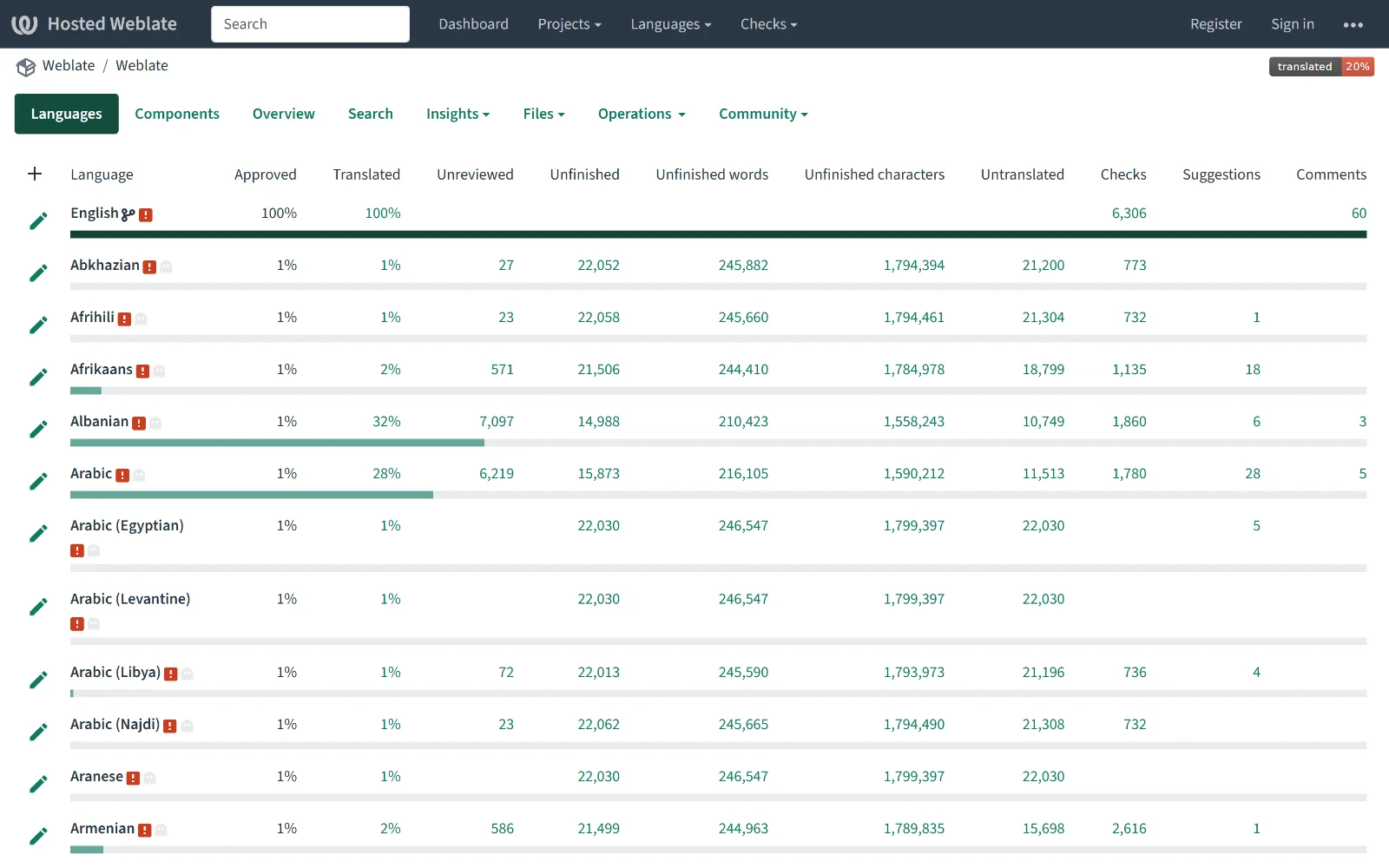
Weblate is a web-based continuous localization system. Translators work in the browser; Weblate reads strings from your Git or Mercurial repository, runs quality checks and translation memory over them, and commits the results back, opening pull requests on GitHub, GitLab, Gitea and others if you give it credentials. It is written by Michal Čihař, who leads development through Weblate s.r.o. in the Czech Republic, and it is licensed GPL-3.0-or-later. Since May 2026 the project uses calendar versioning: 5.17 was followed by 2026.5, and the current release is 2026.11.1, published on 5 November 2026.
The developers also sell hosted Weblate, from €47 a month for 10,000 hosted strings, and give public libre projects a gratis plan with the limits of their 160k tier. If your project is public and open source, that plan is a better deal than any server of ours, and it comes with someone else doing the upgrades. Self-hosting earns its keep in the other cases: private or commercial code that should not sit on a third-party platform, string counts beyond the free tier, or a requirement that the translations and your translators' accounts live on a machine you administer.
02/05
Requirements and sizing.
| Resource | Weblate's documented requirement | Cloud VPS Standard |
|---|---|---|
| RAM | 3 GB minimum; 4 GB for hundreds of components | 4 GB |
| CPU | 2 cores; more for many concurrent users | 4 vCPU |
| CPU features | x86-64-v2 (SSE4.2 and related), since 2026.8 | Check with grep -c sse4_2 /proc/cpuinfo before installing |
| Disk | 1 GB, plus about 300 MB of database per million hosted words | 160 GB NVMe |
| Network | 80/443 inbound; SMTP and SSH/HTTPS outbound | 1 Gbps, 15 TB transfer per month; outbound port 25 open |
Disk is not the constraint. On the documented ratio, ten million hosted words need about 3 GB of PostgreSQL storage (theoretical: 10 × 300 MB), and Weblate keeps repository clones shallow. What the documentation does insist on is low metadata latency for the vcs directory inside the data volume; weblate check --deploy warns when the median lookup takes longer than 10 ms. Local NVMe is the right home for it, which is also why the data volume must never sit on object storage.
Memory is where Standard gets tight. The Docker image sizes its web and Celery workers from the CPU count, and since 2026.9 it runs one combined Celery worker with three times WEBLATE_WORKERS processes. On 4 vCPU and 4 GB we would start with WEBLATE_WORKERS: 2 and raise it only after watching memory under real use; if the OOM killer still visits, CELERY_WORKER_MODE: single trades task throughput for RAM. If you expect dozens of active translators, automatic translation across large components, or OCR on many screenshots, start on Cloud VPS Pro (6 vCPU, 8 GB, 320 GB NVMe, $22.99) instead. Starter, at 2 GB, is below the documented minimum, and we would not run Weblate on it.
Our servers are in Panama City and answer to Panamanian law. A US DMCA notice has no legal effect here, and we act only on valid orders from competent Panamanian authorities.
03/05
Deploying it
on our VPS.
Our reference deployment follows the upstream compose repository with a small override.
- 01Order Cloud VPS Standard with Debian 13: deploy Cloud VPS Standard.
- 02Point an A record such as
translate.example.orgat the server's IPv4 address. - 03Install Docker Engine and the compose plugin from Docker's apt repository for Debian.
- 04Check the CPU before anything else:
grep -c sse4_2 /proc/cpuinfo. A result of 0 means the image will not start; open a support ticket from the client panel rather than debugging NumPy. - 05Fetch the compose files:
git clone https://github.com/WeblateOrg/docker-compose.git weblate-docker
cd weblate-docker- 06Create
docker-compose.override.yml:
services:
  weblate:
    image: weblate/weblate:2026.11.1.0   # pin a full tag; confirm the exact build in the registry
    ports:
      - "127.0.0.1:8080:8080"            # reachable only through the host's reverse proxy
    extra_hosts:
      - "host.docker.internal:host-gateway"
    environment:
      WEBLATE_SITE_DOMAIN: translate.example.org
      WEBLATE_ADMIN_EMAIL: admin@example.org
      WEBLATE_SERVER_EMAIL: weblate@example.org
      WEBLATE_DEFAULT_FROM_EMAIL: weblate@example.org
      WEBLATE_EMAIL_HOST: smtp.example.org
      WEBLATE_EMAIL_HOST_USER: weblate@example.org
      WEBLATE_ENABLE_HTTPS: 1
      WEBLATE_IP_PROXY_HEADER: HTTP_X_FORWARDED_FOR
      WEBLATE_TRUSTED_PROXY_ADDRESSES: host.docker.internal
      WEBLATE_REGISTRATION_OPEN: 0
WEBLATE_WORKERS: 2- 07Put nginx with a Let's Encrypt certificate on the host, proxying to the container:
server {
    listen 443 ssl;
    server_name translate.example.org;
    ssl_certificate     /etc/letsencrypt/live/translate.example.org/fullchain.pem;
    ssl_certificate_key /etc/letsencrypt/live/translate.example.org/privkey.pem;
    client_max_body_size 100m;
    location / {
        proxy_pass http://127.0.0.1:8080;
        proxy_read_timeout 3600s;
        proxy_set_header Host $host;
        proxy_set_header X-Forwarded-Proto https;
        proxy_set_header X-Forwarded-For $proxy_add_x_forwarded_for;
    }
}- 08Start it with
docker compose up -d, read the generated admin password fromdocker compose logs weblate, then rundocker compose exec --user weblate weblate weblate check --deployand fix what it reports.
A few of those choices deserve a reason. Binding the container to loopback matters because, since 2026.9, the bundled nginx only believes X-Forwarded-For from proxies you list, and the documentation warns against any published port that lets clients bypass the proxy. Leaving WEBLATE_ADMIN_PASSWORD unset makes Weblate generate one on first start instead of keeping it in a file. The SMTP password belongs in a Docker secret through the _FILE variant of the variable. Registration stays closed until you have decided who may translate. Upstream also ships a docker-compose-https.yml that uses https-portal for certificates, if you prefer not to run nginx yourself.
Mail needs attention, since registration, password resets and notifications depend on it. Outbound port 25 is open on every VPS, so you can deliver directly, but mail from a fresh address without matching reverse DNS, SPF and DKIM tends to land in spam.
Upgrades are docker compose pull, down, up -d, and migrations run on start. Two caveats apply. Direct upgrades are only supported from releases of the current or previous calendar year, so an instance left alone for two years needs an intermediate hop. And the PostgreSQL container does not upgrade itself between major versions; leave it where it is unless you plan the dump-and-restore, and note that PostgreSQL 18 moved its default data directory inside the image. Security releases come often enough to matter: 2026.11 fixed an arbitrary file overwrite leading to code execution through authenticated project-backup imports (GHSA-8jpg-5gm2-hjp6).
For backups, Weblate writes a daily backups/database.sql into its data volume and has built-in BorgBackup that keeps 14 daily, 8 weekly and 6 monthly archives, either on a local path or on a remote host over SSH with Borg installed. Borg cannot write to S3, and our object storage is S3-compatible buckets, so pick one of two routes: let Weblate's Borg write to a local volume and copy that already-encrypted repository to a bucket with rclone, or skip Borg and run restic against the /app/data volume after a fresh pg_dump. Either way the bucket only ever holds ciphertext. Keep the Borg passphrase somewhere other than the server, and do not mount a bucket as the data directory.
04/05
Cost.
| Item | Per month |
|---|---|
| Cloud VPS Standard (4 vCPU, 4 GB, 160 GB NVMe, 15 TB transfer, 1 Gbps) | $12.99 |
| Daily backups (+20 %) | $2.60 |
| Object storage, 250 GB, for off-site copies | $1.99 |
| Total (calculated) | $17.58 |
Yearly billing takes about 25 % off the VPS, which works out to roughly $9.75 a month for the server itself (theoretical). The panel's daily backups give you a whole-machine rollback; the bucket gives you a copy that survives the machine. We would keep both. Payment is in crypto only (AVAX, BCH, BNB, BTC, DOGE, ETH, LTC, SOL, TRX, USDC, USDT, XMR), with prices in US dollars; top-ups from $25 earn a bonus of 5 % from $50 up to 20 % from $500, and the unused paid part of a top-up is refundable within 14 days. Opening an account is no-KYC: an email address is enough. The full grid is on the pricing page, and the other plans on Cloud VPS.
What the price does not include is anyone running Weblate for you. Patching, upgrades and restores are yours, which is the real difference from Weblate's hosted plans.
05/05
Jurisdiction,
limits and your obligations.
The server sits in Panama City under Panamanian law. Article 29 of the Constitution allows private communications to be intercepted only on a judicial order. As of 31 October 2026 the US Department of Justice lists CLOUD Act executive agreements only with the United Kingdom and Australia, none with Panama; but a mutual legal assistance treaty between Panama and the United States has been in force since 1995, so foreign requests can still arrive through judicial cooperation. Law 51 of 2009 requires telecommunications providers to retain certain user data for six months; whether it reaches a hosting provider is a question for Panamanian counsel. The longer version is on our offshore hosting page. Hosting in Panama also does not move your translation-service providers: enable DeepL, OpenAI or Anthropic suggestions and your strings go to them, under their jurisdiction.
Your instance holds personal data of your translators: e-mail addresses, names, and IP addresses attached to changes. You are its controller. Panama's Law 81 of 2019, implemented by Executive Decree 285 of 2021, governs processing here, and if your translators are in the EU, there is no EU adequacy decision for Panama, so transfers need safeguards such as the 2021 standard contractual clauses. We are not your lawyers.
You are also responsible for what your instance publishes. An open registration form on a public Weblate attracts junk accounts and uploads, so keep registration closed or behind a captcha and review who joins. Sending unsolicited mail through the open port 25 is not allowed under our acceptable use policy. Translating software or games you hold no rights to produces a derivative work, and the complaint will reach you: a DMCA notice has no legal effect on servers in Panama. We forward copyright complaints to the customer and act on a decision of a competent Panamanian authority, or where the content is manifestly unlawful.
Catalogue·Options
Every configuration, every option, every price.
Six cloud VPS plans on AMD EPYC with local NVMe. Transfer is included on every plan, from 10 TB to 100 TB a month.
| Plan | vCPU | Memory | NVMe | Transfer | Port | Price | Deploy |
|---|---|---|---|---|---|---|---|
| StarterStaging, dev | 2 | 2 GB | 80 GB | 10 TB / month | 1 Gbps | $6.99/mo | Deploy Starter |
| StandardRecommendedSmall apps | 4 | 4 GB | 160 GB | 15 TB / month | 1 Gbps | $12.99/mo | Deploy Standard |
| ProProduction | 6 | 8 GB | 320 GB | 20 TB / month | 1 Gbps | $22.99/mo | Deploy Pro |
| PowerHeavy workloads | 12 | 16 GB | 640 GB | 40 TB / month | 2 Gbps | $42.99/mo | Deploy Power |
| UltraDatabases | 16 | 32 GB | 1000 GB | 60 TB / month | 2 Gbps | $65.99/mo | Deploy Ultra |
| TitanDense hosts | 32 | 64 GB | 2000 GB | 100 TB / month | 5 Gbps | $119.99/mo | Deploy Titan |
Every plan runs on AMD EPYC with local NVMe. Yearly billing costs about 25% less.
Every plan
- AMD EPYCon every host
- Local NVMenot network storage
- DDoS protectionalways on
- 1 IPv4 addressmore at $2 each
- VNC consoleand full root access
FAQ
Questions
people ask first.
Short answers about running this in PTY1. If yours is not here, open a ticket from your panel.
Is 4 GB of RAM enough for Weblate?
For one organisation with tens of components and a handful of translators working at once, yes, with WEBLATE_WORKERS lowered to 2. Weblate's own guidance is 3 GB minimum and 4 GB for hundreds of components; beyond that, or with heavy automatic translation, move to Cloud VPS Pro with 8 GB.
Can I run Weblate on the $6.99 Starter plan?
Not sensibly. Starter has 2 GB of RAM, below the 3 GB the documentation gives as the minimum for Weblate, PostgreSQL and the web server on one host.
Why does the image refuse to start after an upgrade?
Since 2026.8 Weblate depends on a NumPy build that needs an x86-64-v2 CPU. Run grep sse4_2 /proc/cpuinfo inside the VPS; empty output means the guest does not expose the required features. Open a ticket from the client panel with that output.
Can I keep Weblate's data on object storage?
Only the backups. The /app/data volume needs low-latency local disk for Git metadata, and our object storage is accessed through the S3 API, not mounted as a disk. Use restic or rclone to push encrypted backups to a bucket.
Do you need my identity to host Weblate?
No. An email address is enough to open an account, and payment is in crypto. Your obligations as the operator of the instance, towards your translators and towards rights holders, stay the same.
Sources
Every fact on this page, with its source
Accessed 5 Nov 2026 unless noted.
Panamanian law and authorities
- Constitution of Panama, article 29, Gaceta Oficial 25176 (2004)s3-legispan.asamblea.gob.pa
- Law 51 of 2009, article 6, Gaceta Oficial 26374 (23 September 2009)gacetaoficial.gob.pa
- Law 81 of 26 March 2019 on personal data protection, Gaceta Oficial 28743-A; implemented by Executive Decree 285 of 28 May 2021gacetaoficial.gob.pa
EU and other countries
- US Department of Justice, CLOUD Act resources (executive agreements with the UK and Australia only)justice.gov · verified 31 Oct 2026
- GDPR, article 46eur-lex.europa.eu
Industry, providers and software
Other references
- Weblate documentation, "Installing using Docker" (hardware requirements, x86-64-v2 note, compose installation, image tags, proxy variables, worker modes, upgrade rules), version 2026.11.1docs.weblate.org
- Weblate change history (2026.11.1 released 5 November 2026; 2026.11 fix for GHSA-8jpg-5gm2-hjp6; 2026.9 trusted-proxy change; 2026.9.1 combined Celery worker)docs.weblate.org
- Weblate documentation, "Backing up and moving Weblate" (Borg retention, remote targets over SSH, database dump)docs.weblate.org
- Weblate documentation, "Weblate license" (GPL-3.0-or-later, copyright Michal Čihař)docs.weblate.org
- Weblate release news, including "2026.5: Numbers changed" (switch to calendar versioning, 18 May 2026)weblate.org
- Weblate hosting plans (from €47/month for 10,000 strings; Libre plan gratis for public libre projects)weblate.org
- US Department of State, Panama–United States Mutual Legal Assistance Treaty (signed 1991, in force 6 September 1995)state.gov
Your server in Panama,
ready when you are.
Cloud VPS start at $6.99 a month and are ready 60 to 120 seconds after you order.