Self-hosted app·Websites and CMS
Wagtail hosting in Panama City
one VPS, Docker Compose, PostgreSQL.
Wagtail hosting on a 4 vCPU / 4 GB VPS in Panama City: Docker Compose with PostgreSQL 17, honest sizing, S3 media. No-KYC, crypto.
- Wagtail
- Django
- PostgreSQL
- Gunicorn
PTY1·Panama City
In stockRecommended for this use case
- 1 Gbps port15 TB of transfer a monthIncluded
- Debian 13preinstalled with the orderIncluded
- DDoS protection, 1 IPv4VNC console and full rootIncluded
Optional: daily backups +20% · extra IPv4 $2 · priority support $10
Pay yearly: $116.99 a year, about 25% less
- No KYC
- Crypto only
- Panama jurisdiction
- 4 vCPU, 4 GB RAM
- 160 GB NVMe local storage
- 15 TB transfer on a 1 Gbps port
- DDoS protection included
- Panamanian law
01/06
Short answer.
Yes. A production Wagtail site with PostgreSQL, a cache and a TLS proxy fits on our Cloud VPS Standard plan: 4 vCPU, 4 GB RAM, 160 GB NVMe and 15 TB of monthly transfer for $12.99, running Debian 13 in PTY1, our facility in Panama City. You get root and run the stack yourself; the plan is self-managed, so Wagtail, Django and the containers are yours to operate and upgrade. The figure that decides whether the site stays up is memory, not CPU. Every Gunicorn worker that renders a new image size decodes the full original into RAM, so on 4 GB the number of workers you can afford is set by the largest file your editors upload, not by your visitor count.
02/06
What Wagtail is
and who runs it.
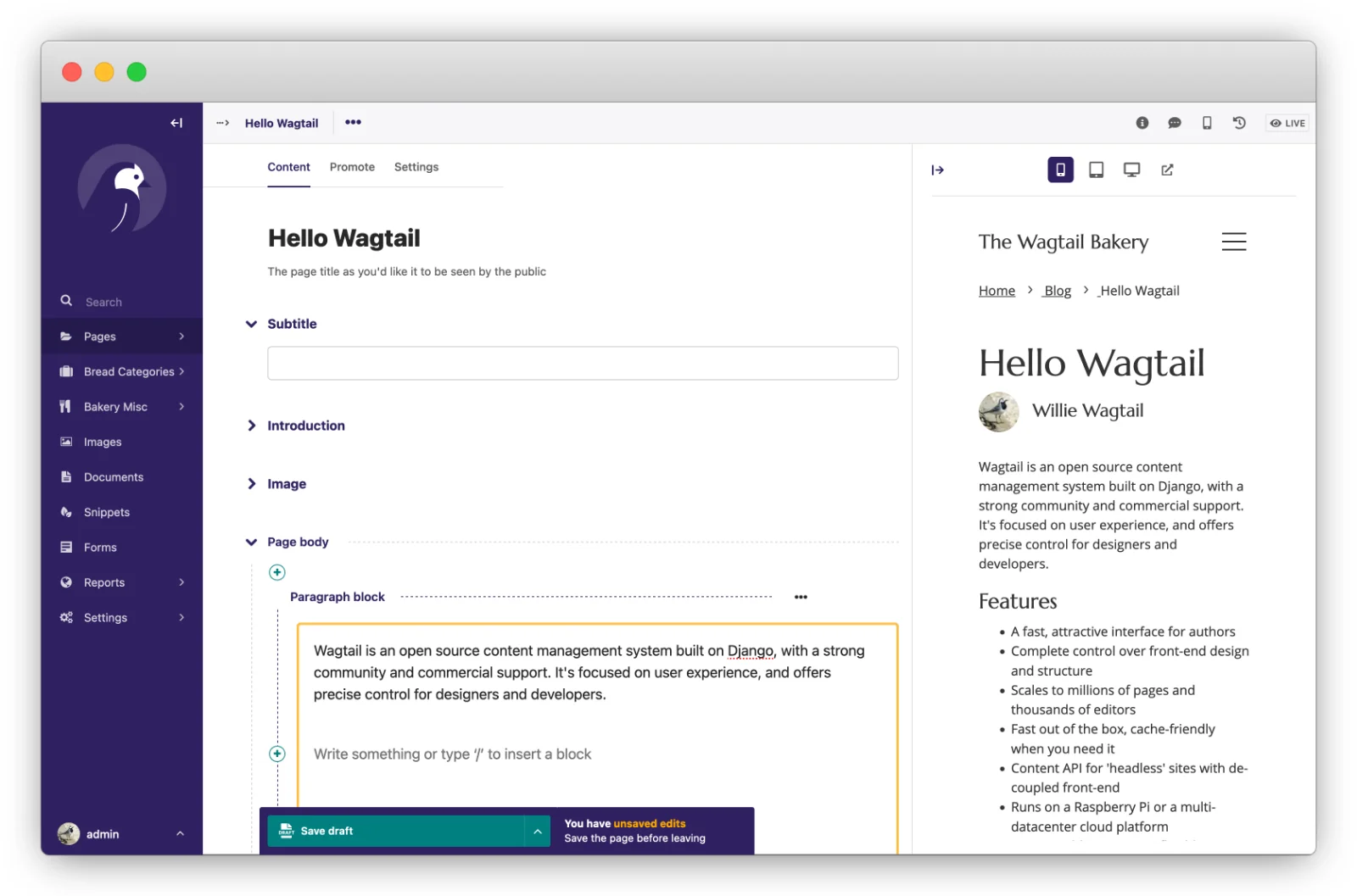
Wagtail is a content management system written in Python and built on Django, published under the BSD license. It is an open-source project of Torchbox, a UK agency, and has had more than a thousand contributors since 2014 by the project's own count; Google, NASA and the NHS are among the users it cites. Editors get a page tree, StreamField for structured content, moderation workflows and image focal points, and the built-in internationalization keeps a separate page tree per language, which suits the Spanish-and-English sites common in Panama. For whoever hosts it, the defining fact is different: a Wagtail site is a Django project you write and own, not a packaged application you install.
Feature releases arrive every three months, and the core team gives security support to the two most recent release series plus the latest long-term-support (LTS) release. As of 5 November 2026 that covers 8.1 (released 2 November 2026; Django 5.2, 6.0 and 6.1; Python 3.11 to 3.15), 8.0, and 7.4 LTS (released 4 May 2026, supported until 2 November 2027; Django 5.2 and 6.0). 7.0 LTS left support on 2 November 2026, so a site still on it no longer receives fixes. Our recommendation is 7.4 LTS on Django 5.2 LTS if you want one planned upgrade a year; take 8.1 only if someone on your side will follow the quarterly releases.
Our servers are in Panama City and answer to Panamanian law. A US DMCA notice has no legal effect here, and we act only on valid orders from competent Panamanian authorities.
03/06
Requirements and sizing.
Wagtail's own requirements are short. It needs a supported Python (Debian 13 ships 3.13; the Dockerfile in the official project template uses 3.14), a database (PostgreSQL, MySQL, MariaDB or SQLite), a WSGI server, a cache that is not tied to a single process, and somewhere to keep uploads. The Wagtail docs recommend WSGI over ASGI because Wagtail has no async views. Only ports 80 and 443 face the internet, plus 22 for SSH; Gunicorn's 8000 and PostgreSQL's 5432 stay on the internal Docker network.
| Plan | vCPU / RAM / NVMe | Transfer / port | Price | Fit for Wagtail |
|---|---|---|---|---|
| Starter | 2 / 2 GB / 80 GB | 10 TB / 1 Gbps | $6.99/mo | Staging copy, or a one-editor site with small images |
| Standard | 4 / 4 GB / 160 GB | 15 TB / 1 Gbps | $12.99/mo | One production site: Gunicorn, PostgreSQL 17, Valkey, Caddy |
| Pro | 6 / 8 GB / 320 GB | 20 TB / 1 Gbps | $22.99/mo | Photo-heavy editorial, several sites, or Elasticsearch/OpenSearch on the same machine |
| Power | 12 / 16 GB / 640 GB | 40 TB / 2 Gbps | $42.99/mo | Several busy instances on one machine |
The arithmetic behind the memory warning is worth doing once. Wagtail rejects images above 128 megapixels by default; decoded at three bytes per pixel, a file at that limit occupies about 384 MB, or 512 MB with an alpha channel (theoretical upper bound, before any decoder shortcuts). Three workers producing fresh renditions at the same moment, which is exactly what happens after an editor uploads a gallery, could ask for around 1.5 GB on top of PostgreSQL, the cache and the workers' baseline. Gunicorn's documentation suggests starting at (2 × cores) + 1 workers, nine on this plan. For Wagtail on 4 GB we start at three and lower WAGTAILIMAGES_MAX_IMAGE_PIXELS to 40 million, which caps one decode at about 120 MB (theoretical) and still accepts a full frame from a 24-megapixel camera.
Disk fills in a way editors rarely anticipate. Wagtail keeps every original and writes a separate file for each size and format a template requests, so a design that uses five renditions per image stores six files per upload. With Docker images and PostgreSQL sharing the 160 GB, we would move media to object storage once the library heads past about 100 GB rather than wait for a disk alert.
VPS transfer is metered, not unmetered: Standard includes 15 TB a month. At an average page weight of 2 MB that is about 7.5 million page views (theoretical; your page weight is the variable that matters). Images served straight from an object-storage bucket do not draw on that allowance, because buckets carry their own unlimited traffic, and the VPS is left serving HTML, CSS and JavaScript. Search does not need its own service at this size: the default database backend runs on PostgreSQL's full-text search, which the Wagtail docs consider good enough for production unless you need Elasticsearch-specific features. Elasticsearch and OpenSearch each want a JVM heap of their own, which is a reason to choose Pro rather than squeeze one onto 4 GB.
04/06
How to deploy it
with us.
Order Cloud VPS Standard with Debian 13. No-KYC: an email address is enough, and payment is in cryptocurrency (details on no-KYC hosting). The stack below is Caddy for TLS, Gunicorn running your project, PostgreSQL 17 and Valkey as the cache.
- 01
1. Prepare the server
Create the DNS A record first. Caddy requests a Let's Encrypt certificate on its first start, and the request fails if the name does not yet resolve to the VPS. Then apply the usual Debian baseline: SSH keys only,
unattended-upgrades, and a firewall that allows 22, 80 and 443. One Docker detail catches people every year: ports published by Docker are written into iptables ahead of ufw's rules, so ufw does not protect them. The compose file below publishes only Caddy's 80 and 443. Keep it that way and never add aports:entry todborcache.apt update && apt install -y ca-certificates curl unattended-upgrades install -m 0755 -d /etc/apt/keyrings curl -fsSL https://download.docker.com/linux/debian/gpg -o /etc/apt/keyrings/docker.asc echo "deb [arch=$(dpkg --print-architecture) signed-by=/etc/apt/keyrings/docker.asc] \ https://download.docker.com/linux/debian $(. /etc/os-release && echo "$VERSION_CODENAME") stable" \ > /etc/apt/sources.list.d/docker.list apt update && apt install -y docker-ce docker-ce-cli containerd.io docker-buildx-plugin docker-compose-plugin - 02
2. Adjust the project
If you are starting fresh, create the project on the LTS line, on your workstation or in a virtualenv on the server:
python3 -m venv .venv && . .venv/bin/activate
pip install "wagtail>=7.4,<7.5"
wagtail start mysite && cd mysite
Set the
wagtailline inrequirements.txttowagtail>=7.4,<7.5and addpsycopg[binary],whitenoiseandredis. Two settings belong inbase.pyrather thanproduction.py. The template's Dockerfile runscollectstaticduring the build under the default development settings, so the manifest storage has to be configured where that build sees it; if it lived only inproduction.py, the image would ship without the manifest production expects and every page would fail to render.# mysite/settings/base.py — append at the end MIDDLEWARE.insert( MIDDLEWARE.index("django.middleware.security.SecurityMiddleware") + 1, "whitenoise.middleware.WhiteNoiseMiddleware", ) STORAGES = { "default": {"BACKEND": "django.core.files.storage.FileSystemStorage"}, "staticfiles": {"BACKEND": "whitenoise.storage.CompressedManifestStaticFilesStorage"}, } WAGTAILIMAGES_MAX_IMAGE_PIXELS = 40_000_000 WAGTAIL_ENABLE_UPDATE_CHECK = False # optional: the dashboard check sends your hostname to the Wagtail team WAGTAIL_GRAVATAR_PROVIDER_URL = None # optional: no gravatar.com lookups for editors without a photo# mysite/settings/production.py — replace the file import os from .base import * DEBUG = False SECRET_KEY = os.environ["DJANGO_SECRET_KEY"] SITE_DOMAIN = os.environ["SITE_DOMAIN"] ALLOWED_HOSTS = [SITE_DOMAIN] CSRF_TRUSTED_ORIGINS = [f"https://{SITE_DOMAIN}"] WAGTAILADMIN_BASE_URL = f"https://{SITE_DOMAIN}" SECURE_PROXY_SSL_HEADER = ("HTTP_X_FORWARDED_PROTO", "https") SESSION_COOKIE_SECURE = CSRF_COOKIE_SECURE = True INSTALLED_APPS += ["django.contrib.postgres"] # needed by the database search backend on PostgreSQL DATABASES = { "default": { "ENGINE": "django.db.backends.postgresql", "HOST": "db", "NAME": "wagtail", "USER": "wagtail", "PASSWORD": os.environ["POSTGRES_PASSWORD"], "CONN_MAX_AGE": 60, } } CACHES = { "default": { "BACKEND": "django.core.cache.backends.redis.RedisCache", "LOCATION": "redis://cache:6379/0", } }In the generated
Dockerfile, addRUN mkdir -p /app/mediadirectly after theUSER wagtailline. The named volume then inherits thewagtailuser's ownership; without it, the first upload fails with a permission error. - 03
3. Compose file and Caddyfile
# compose.yaml services: db: image: postgres:17 restart: unless-stopped environment: POSTGRES_DB: wagtail POSTGRES_USER: wagtail POSTGRES_PASSWORD: ${POSTGRES_PASSWORD} volumes: - pgdata:/var/lib/postgresql/data healthcheck: test: ["CMD-SHELL", "pg_isready -U wagtail -d wagtail"] interval: 10s retries: 5 cache: image: valkey/valkey:8 restart: unless-stopped command: ["valkey-server", "--maxmemory", "128mb", "--maxmemory-policy", "allkeys-lru", "--save", ""] web: build: . restart: unless-stopped command: > gunicorn mysite.wsgi:application --bind 0.0.0.0:8000 --workers 3 --timeout 60 --max-requests 1000 --max-requests-jitter 100 env_file: .env environment: DJANGO_SETTINGS_MODULE: mysite.settings.production volumes: - media:/app/media depends_on: db: condition: service_healthy cache: condition: service_started caddy: image: caddy:2 restart: unless-stopped ports: - "80:80" - "443:443" - "443:443/udp" environment: SITE_DOMAIN: ${SITE_DOMAIN} volumes: - ./Caddyfile:/etc/caddy/Caddyfile:ro - media:/srv/media:ro - caddy_data:/data - caddy_config:/config volumes: pgdata: media: caddy_data: caddy_config:# Caddyfile {$SITE_DOMAIN} { encode zstd gzip handle_path /media/images/* { root * /srv/media/images file_server } handle /media/* { respond 404 } handle { reverse_proxy web:8000 } }# .env — generate each secret with: openssl rand -hex 32 SITE_DOMAIN=www.example.org DJANGO_SECRET_KEY=replace-me POSTGRES_PASSWORD=replace-meCaddy serves rendered images straight from the volume, as Wagtail's deployment notes recommend, and answers 404 for everything else under
/media/, so originals inoriginal_images/and uploaded documents cannot be fetched around Wagtail's permission checks. Documents go through Wagtail's own view, which is the default with local storage. The--max-requestsflags recycle each worker after about a thousand requests; a Python process that has decoded a large image rarely hands that memory back to the kernel on its own. Pin PostgreSQL's major version in the image tag, because a major upgrade meanspg_dumpand restore, never a tag change. - 04
4. Start it
docker compose build
docker compose up -d db cache
docker compose run --rm web python manage.py migrate
docker compose run --rm web python manage.py createsuperuser
docker compose up -d
The template's own Dockerfile runs migrations every time the container starts, and its comments warn against relying on that; the
command:override above starts Gunicorn only, and you migrate explicitly on each deploy. After the first login, open Settings → Sites in the admin and set the hostname and port 443, so Wagtail generates correct absolute URLs. - 05
Media on object storage instead of a local volume
Add
django-storages[s3]to the requirements and override the default storage inproduction.py. The bucket is used through the S3 API with its endpoint and access keys; nothing is mounted on the VPS.STORAGES["default"] = { "BACKEND": "storages.backends.s3.S3Storage", "OPTIONS": { "endpoint_url": os.environ["S3_ENDPOINT"], "bucket_name": os.environ["S3_BUCKET"], "access_key": os.environ["S3_ACCESS_KEY"], "secret_key": os.environ["S3_SECRET_KEY"], "file_overwrite": False, # Wagtail's docs require this for S3 backends }, }Remove the two
/media/blocks from the Caddyfile once media lives in the bucket. Two caveats apply. Wagtail still reads the original back from the bucket whenever it creates a new rendition, so the CPU and memory cost stays on the VPS; the bucket relieves disk and image bandwidth only. django-storages also signs URLs by default, which works with any bucket but gives each image a new URL on every page render and defeats browser caching.Backups need two parts. The daily backup option covers the VPS; keep a logical dump as well, because it restores onto any PostgreSQL 17 on any host:
docker compose exec -T db pg_dump -U wagtail -Fc wagtail > /root/backup/wagtail-$(date +%F).dump
restic -r s3:https://<endpoint>/<bucket> backup /root/backup /var/lib/docker/volumes/mysite_media/_data
The volume path depends on the compose project name, which defaults to the directory name.
05/06
Cost.
| Item | Per month |
|---|---|
| Cloud VPS Standard | $12.99 |
| Daily backups (+20 % of the plan) | $2.60 |
| Object storage, 250 GB (optional) | $1.99 |
| Total with all three | $17.58 |
Without object storage the setup costs $15.59 a month. Yearly billing takes about 25 % off the plan, $116.99 a year or $9.75 a month for the VPS itself (theoretical; check at checkout whether the discount also applies to add-ons). The plan includes full root, one IPv4 address (extras are $2/mo), 15 TB of transfer at 1 Gbps and open outbound port 25. Priority support is available at $10/mo. The full list is on pricing.
We take payment in cryptocurrency only: AVAX, BCH, BNB, BTC, DOGE, ETH, LTC, SOL, TRX, USDC, USDT and XMR, with prices and balances in US dollars, and we accept business customers paying this way. Top-ups run from $25 to $5,000 and earn a bonus of 5 % from $50, 10 % from $100, 15 % from $250 and 20 % from $500. A $100 top-up credits $110, which covers the $15.59 VPS-plus-backups setup for seven months (theoretical). The unused paid part of a top-up is refundable within 14 days.
06/06
Limits and acceptable
use.
Port 25 is open on every VPS, so Django can send password resets, moderation notices and form notifications itself.
A DMCA notice has no legal effect on servers in Panama. We forward copyright complaints to the customer and act on a decision of a competent Panamanian authority, or where the content is manifestly unlawful: phishing pages, malware distribution and child sexual abuse material are examples, and the full rules are in the acceptable use policy. You are responsible for what your site publishes, both under Panamanian law and in the countries you target.
You are also the controller of the personal data your site collects. Wagtail's form builder stores submissions in your database, and every editor account holds an email address. Processing in Panama falls under Law 81 of 2019 on personal data protection, implemented by Executive Decree 285 of 2021. If you collect data from people in the EU, note that Panama has no EU adequacy decision, so the transfer needs safeguards such as the 2021 standard contractual clauses. Keeping Wagtail and Django on supported releases is also your job; an admin login left on an unsupported release is the easiest way into a CMS server.
Jurisdiction decides which procedure applies, not whether one exists. Article 29 of Panama's Constitution allows private communications to be intercepted only on the order of a judicial authority, and private documents to be examined only on the order of a competent authority for specific purposes. Criminal-matter requests from the United States arrive through the mutual legal assistance treaty signed in 1991 and in force since 6 September 1995, and as of 31 October 2026 the US Department of Justice lists CLOUD Act executive agreements only with the United Kingdom and Australia, not with Panama. Law 51 of 2009 requires telecommunications companies and other communication networks that provide the service to keep certain user data for six months; whether it reaches a hosting provider is a question for Panamanian counsel, and we will not pretend to answer it here. The longer treatment is on offshore hosting. Panama Host is operated by Cyber Host International, S.A., Addison House Plaza, 1st floor, Panama City, Panama; to reach us, open a support ticket from the client panel.
Catalogue·Options
Every configuration, every option, every price.
Six cloud VPS plans on AMD EPYC with local NVMe. Transfer is included on every plan, from 10 TB to 100 TB a month.
| Plan | vCPU | Memory | NVMe | Transfer | Port | Price | Deploy |
|---|---|---|---|---|---|---|---|
| StarterStaging, dev | 2 | 2 GB | 80 GB | 10 TB / month | 1 Gbps | $6.99/mo | Deploy Starter |
| StandardRecommendedSmall apps | 4 | 4 GB | 160 GB | 15 TB / month | 1 Gbps | $12.99/mo | Deploy Standard |
| ProProduction | 6 | 8 GB | 320 GB | 20 TB / month | 1 Gbps | $22.99/mo | Deploy Pro |
| PowerHeavy workloads | 12 | 16 GB | 640 GB | 40 TB / month | 2 Gbps | $42.99/mo | Deploy Power |
| UltraDatabases | 16 | 32 GB | 1000 GB | 60 TB / month | 2 Gbps | $65.99/mo | Deploy Ultra |
| TitanDense hosts | 32 | 64 GB | 2000 GB | 100 TB / month | 5 Gbps | $119.99/mo | Deploy Titan |
Every plan runs on AMD EPYC with local NVMe. Yearly billing costs about 25% less.
Every plan
- AMD EPYCon every host
- Local NVMenot network storage
- DDoS protectionalways on
- 1 IPv4 addressmore at $2 each
- VNC consoleand full root access
FAQ
Questions
people ask first.
Short answers about running this in PTY1. If yours is not here, open a ticket from your panel.
Can I run Wagtail on the VPS without Docker?
Yes. Debian 13 packages Python 3.13 and PostgreSQL 17, both within what Wagtail 7.4 LTS and 8.1 support. A virtualenv, a systemd unit for Gunicorn and Caddy or nginx in front give you the same stack with one layer fewer. We default to Docker on this page because wagtail start already writes a Dockerfile, and rebuilding from an image makes the next Debian upgrade less eventful.
Is SQLite acceptable for a small site?
The project template's Dockerfile assumes SQLite, and for a one-editor brochure site it works. Two things push us to PostgreSQL early: SQLite allows one writer at a time, which shows once several workers and editors save at once, and copying a live SQLite file is not a backup unless you use its own .backup command. Moving later means a data migration, while starting on PostgreSQL costs one more container.
Can one VPS host several Wagtail sites?
Yes, in two ways. One Wagtail instance can serve several sites from one database, routed by hostname, which costs little extra memory. Separate projects each need their own workers and database; on 4 GB we would stop at two small ones and move to Pro (8 GB) beyond that.
Do I need to send ID to open an account?
No. No-KYC: an email address is enough. Payment is in cryptocurrency only, and business customers paying this way are accepted.
What happens if someone sends a DMCA notice about my site?
A DMCA notice has no legal effect on servers in Panama. We forward copyright complaints to the customer and act on a decision of a competent Panamanian authority, or where the content is manifestly unlawful.
Sources
Every fact on this page, with its source
Checked 5 Nov 2026 unless noted.
Panamanian law and authorities
- Panama, Law 81 of 26 March 2019 on personal data protection (Gaceta Oficial 28743-A), implemented by Executive Decree 285 of 28 May 2021gacetaoficial.gob.pa
- Panama, Law 51 of 2009, art. 6, six-month retention by telecommunications providers (Gaceta Oficial 26374, 23 September 2009)gacetaoficial.gob.pa
- Constitution of Panama, art. 29 (Gaceta Oficial 25176, 2004)s3-legispan.asamblea.gob.pa
EU and other countries
- US Department of Justice, CLOUD Act resources: executive agreements with the United Kingdom and Australia onlyjustice.gov · verified 31 Oct 2026
- GDPR, art. 46 (appropriate safeguards)eur-lex.europa.eu
Industry, providers and software
Other references
- Wagtail documentation, "Upgrading Wagtail": compatible Django and Python versions per release, supported databasesdocs.wagtail.org
- endoflife.date, Wagtail: release dates and support windows for 8.1, 8.0, 7.4 LTS and 7.0 LTS; security support policyendoflife.date
- Wagtail documentation, "Deployment: Under the hood": WSGI recommendation, serving images and documents, cloud storage read-back, AWS_S3_FILE_OVERWRITE, cache backendsdocs.wagtail.org
- Wagtail documentation, Settings: WAGTAILIMAGES_MAX_IMAGE_PIXELS (128 MP default), WAGTAILDOCS_SERVE_METHOD, WAGTAIL_ENABLE_UPDATE_CHECK, WAGTAIL_GRAVATAR_PROVIDER_URL, per-language page treesdocs.wagtail.org
- Wagtail documentation, Search backends: database backend on PostgreSQL full-text search, django.contrib.postgres, Elasticsearch 7–9 and OpenSearch 2–3docs.wagtail.org
- Wagtail documentation, "The project template", and the template Dockerfile on GitHub (main branch): python:3.14-slim-bookworm, Gunicorn, SQLite default, migrations at container startdocs.wagtail.org
- Wagtail, "About Wagtail": Torchbox, cited users, contributors since 2014wagtail.org
- Gunicorn documentation, Design: "(2 x $num_cores) + 1" starting point for workersdocs.gunicorn.org
- US Department of State, Panama–US mutual legal assistance treaty, signed 1991, in force 6 September 1995state.gov
Your server in Panama,
ready when you are.
Cloud VPS start at $6.99 a month and are ready 60 to 120 seconds after you order.