Self-hosted app·Video sites and adult platforms
PeerTube hosting in Panama City
why we put it on a dedicated server.
Self-host PeerTube in Panama City: why a PeerTube VPS runs into transfer caps, and how an EPYC dedicated at $64.99 with 10 Gbps and S3 storage fits.
- PeerTube
- Docker
- PostgreSQL
PTY1·Panama City
In stockRecommended for this use case
- 10 Gbps portunmetered traffic, fair useIncluded
- Debian 13preinstalled with the orderIncluded
- DDoS protection, 1 IPv4KVM console and full rootIncluded
Optional: NVMe +$10 per 2 TB, up to 12 TB · 25 Gbps port +$25 · 32 GB memory +$12
Pay quarterly for 10% less, yearly for 25% less
- No KYC
- Crypto only
- Panama jurisdiction
- 6 cores, 12 threads AMD EPYC 4244P
- 1 TB NVMe, up to 12 TB
- 10 Gbps port, unmetered traffic
- DDoS protection included
- Panamanian law
01/07
Short answer.
Yes, PeerTube runs well with us. For a public instance we recommend the Iron dedicated server in PTY1, Panama City (AMD EPYC 4244P, 6 cores/12 threads, 32 GB DDR5 ECC, 1 TB NVMe Gen4) at $64.99 a month, paired with a 1 TB object storage bucket at $7.96 for the video files. The plan is decided by outbound traffic, not by CPU. Every Cloud VPS plan includes a fixed monthly transfer, and a video site spends it quickly; our dedicated servers have a 10 Gbps port with unmetered traffic under fair use. A VPS is still a reasonable home for a small or members-only instance, and the arithmetic below shows where that line falls.
02/07
What PeerTube is
and who runs it.
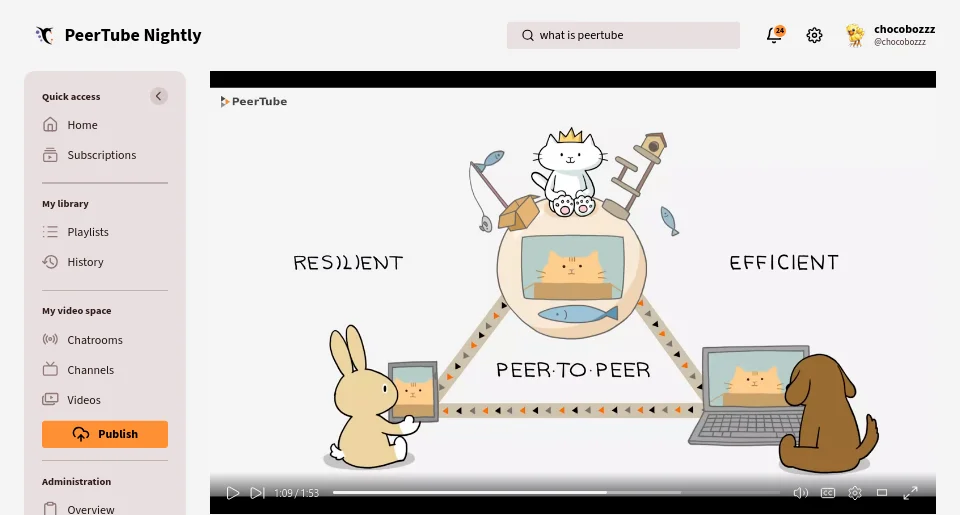
PeerTube is free software under the AGPLv3 that turns one server into a video platform with accounts, channels, playlists, live streaming and moderation tools. It is developed by Framasoft, a French non-profit with two developers on the project. Instances federate over ActivityPub, so a channel on your server can be followed from another PeerTube instance or from Mastodon, and viewers watching the same HLS stream exchange segments between browsers over WebRTC, which takes part of a traffic spike off your uplink. The first stable release shipped in October 2018. The current version at the time of writing is 8.3.2, released on 26 October 2026 with a fix for a critical remote-code-execution flaw in its image library. Framasoft aims for about four major releases a year, supports only the latest stable one and keeps no LTS branch, so plan for regular upgrades rather than a set-and-forget box.
Instances are run by independent media, associations, collectives, schools and creators who would rather own their archive than rent space in someone else's catalogue. Framasoft itself operates framatube.org and peer.tube. Administrators compare notes on the PeerTube section of framacolibri.org, Framasoft's forum, which is the first place to look when an upgrade misbehaves.
Our servers are in Panama City and answer to Panamanian law. A US DMCA notice has no legal effect here, and we act only on valid orders from competent Panamanian authorities.
03/07
Requirements and sizing.
Upstream guidance is modest. The PeerTube FAQ lists 1 vCore, 1.5 GB of RAM and 20 Mbit/s of upload as a floor, 4 vCore and 4 GB for around 1,000 concurrent viewers, and 8 vCore with 8 GB if transcoding runs on the same machine. Outside transcoding, Node.js, PostgreSQL, Redis and nginx barely touch the CPU. Transcoding is where the cores go: every upload is re-encoded by ffmpeg into a ladder of resolutions, and a live stream with several output resolutions keeps encoding for as long as it runs. Iron's 12 threads and 32 GB sit above the 8/8 recommendation with room left for PostgreSQL's cache and an nginx cache in front of the bucket.
| Resource | What PeerTube needs | Iron + 1 TB bucket |
|---|---|---|
| CPU | 8 vCore if transcoding locally | EPYC 4244P, 6 cores / 12 threads |
| RAM | 8 GB if transcoding locally | 32 GB DDR5 ECC |
| Local disk | Database, Redis, live segments, transcoding temp, cache | 1 TB NVMe Gen4 |
| Video files | Grows with every upload | 1 TB S3-compatible bucket (5 TB and 10 TB tiers exist) |
| Network | 1 Gbit/s serves about 200 streams at 5 Mbit/s | 10 Gbps port, unmetered under fair use |
| Ports | 80 and 443; 1935 (RTMP) for live | Full root, 1 IPv4, KVM console |
Storage is easier to reason about than it looks. PeerTube can publish each video as plain MP4 files ("web videos"), as HLS, or both, and enabling both doubles the space used. Use HLS only, since browser P2P depends on it. As a theoretical example, a ladder of 1080p at 5 Mbit/s, 720p at 2.5, 480p at 1 and 360p at 0.5 adds up to 9 Mbit/s, about 4 GB per hour of published video, so 1 TB holds roughly 250 hours. Real bitrates depend on PeerTube's encoding profile and your source material, and keeping original uploads adds their full size on top.
The network figures are where a VPS stops making sense. A 1080p viewer at 5 Mbit/s consumes 2.25 GB per hour. The 20 TB included with the Pro VPS therefore covers about 8,900 viewer-hours a month, and the 100 TB of the largest VPS about 44,400; the 1 Gbps port on the smaller plans also caps you at around 200 simultaneous 1080p streams. Iron's 10 Gbps port has a theoretical ceiling of 2,000 such streams, which is more than most instances will ever see. The bucket has its own 5 Gbps limit (about 1,000 streams, theoretically), so do not send browsers straight to it on a busy instance: put an nginx cache on the server's NVMe in front of the bucket, as the PeerTube documentation recommends, and popular videos leave through the 10 Gbps port while the bucket only answers cache misses.
This is also why video instances struggle on general-purpose stacks. The usual fix for egress, putting Cloudflare in front, does not apply to video: Cloudflare's service-specific terms (updated 28 September 2026) say customers on Free, Pro or Business plans must use its paid products, such as Stream, to serve video through the CDN, and that it may limit sites that do otherwise. Many PeerTube administrators learn this after their instance has grown.
04/07
Deploying PeerTube
on Iron with Docker.
The official Docker setup is the shortest route, and it sidesteps a Debian 13 trap. Trixie packages Node.js 20.19, while PeerTube dropped Node 20 in version 8.2 and now requires 22.12 or later (below 25). If you install without Docker, take Node 22 from NodeSource rather than from Debian.
- 01Order Iron with Debian 13: deploy Iron. Then order a bucket from object storage; our team creates it, its endpoint and access key appear in the client panel, and the secret key comes once, in a ticket.
- 02Choose the hostname once. PeerTube does not support changing it after the first start, and federated copies of your videos refer to it. Point an A record at the server's IPv4 address.
- 03Install Docker Engine with the compose v2 plugin, then fetch the official files:
apt update && apt install -y ca-certificates curl
install -m 0755 -d /etc/apt/keyrings
curl -fsSL https://download.docker.com/linux/debian/gpg -o /etc/apt/keyrings/docker.asc
echo "deb [signed-by=/etc/apt/keyrings/docker.asc] https://download.docker.com/linux/debian trixie stable" \
  > /etc/apt/sources.list.d/docker.list
apt update && apt install -y docker-ce docker-ce-cli containerd.io docker-compose-plugin

mkdir -p /srv/peertube && cd /srv/peertube
BASE=https://raw.githubusercontent.com/Chocobozzz/PeerTube/master/support
curl -fsSL $BASE/docker/production/docker-compose.yml -o docker-compose.yml
curl -fsSL $BASE/docker/production/.env -o .env
mkdir -p docker-volume/nginx docker-volume/nginx-logs docker-volume/certbot
curl -fsSL $BASE/nginx/peertube -o docker-volume/nginx/peertube- 04Edit
.env. Replace the PostgreSQL user and password,PEERTUBE_WEBSERVER_HOSTNAME,PEERTUBE_ADMIN_EMAILandPEERTUBE_SECRET(generate it withopenssl rand -hex 32). Then fill in the object storage block with the endpoint, region and access key from the client panel and the secret key from the ticket:
PEERTUBE_OBJECT_STORAGE_ENABLED=true
PEERTUBE_OBJECT_STORAGE_ENDPOINT=<endpoint from the client panel>
PEERTUBE_OBJECT_STORAGE_REGION=<region from the client panel>
PEERTUBE_OBJECT_STORAGE_CREDENTIALS_ACCESS_KEY_ID=<access key>
PEERTUBE_OBJECT_STORAGE_CREDENTIALS_SECRET_ACCESS_KEY=<secret key>
PEERTUBE_OBJECT_STORAGE_STREAMING_PLAYLISTS_BUCKET_NAME=peertube
PEERTUBE_OBJECT_STORAGE_STREAMING_PLAYLISTS_PREFIX=hls/
PEERTUBE_OBJECT_STORAGE_WEB_VIDEOS_BUCKET_NAME=peertube
PEERTUBE_OBJECT_STORAGE_WEB_VIDEOS_PREFIX=web-videos/
PEERTUBE_OBJECT_STORAGE_ORIGINAL_VIDEO_FILES_BUCKET_NAME=peertube
PEERTUBE_OBJECT_STORAGE_ORIGINAL_VIDEO_FILES_PREFIX=originals/
PEERTUBE_OBJECT_STORAGE_USER_EXPORTS_BUCKET_NAME=peertube
PEERTUBE_OBJECT_STORAGE_USER_EXPORTS_PREFIX=exports/
PEERTUBE_OBJECT_STORAGE_CAPTIONS_BUCKET_NAME=peertube
PEERTUBE_OBJECT_STORAGE_CAPTIONS_PREFIX=captions/
PeerTube expects browsers to fetch public videos without credentials, so the bucket needs public reads and a CORS rule allowing GET from any origin.
- 05Issue the first certificate, start the stack and read the generated root password:
docker run -it --rm -p 80:80 \
  -v "$(pwd)/docker-volume/certbot/conf:/etc/letsencrypt" \
  certbot/certbot certonly --standalone
docker compose up -d
docker compose logs peertube | grep -A1 root- 06Before inviting uploaders, open Administration → Settings → Configuration → VOD, enable HLS and disable web videos. A reasonable first setting on Iron is 4 transcoding threads with 2 concurrent jobs; watch the job queue during a busy week and adjust. Set the
*_BASE_URLvariables to the cache in front of the bucket, apply PeerTube's TCP tuning file (support/sysctl.d/30-peertube-tcp.confin the repository) on the host, and comment out port 1935 in the compose file if you will not stream live. Docker writes its own packet-filter rules for published ports, so a host firewall such as ufw will not hide them; the compose file leaves port 9000 unpublished for that reason, and it should stay that way.
Upgrades are docker compose pull, docker compose down -v and docker compose up -d, after reading the release notes. Some releases need a manual step: 8.3.0 required a migration script to be run inside the container after the database migration finished.
05/07
Cost.
| Item | Per month |
|---|---|
| Iron dedicated server, PTY1 | $64.99 |
| Object storage, 1 TB | $7.96 |
| Total | $72.95 |
The server includes the 10 Gbps port with unmetered traffic under fair use, DDoS protection, one IPv4 address, KVM console access and full root. Quarterly billing takes 10 % off the server and yearly billing 25 %, which works out to $58.49 and $48.74 a month respectively by our arithmetic; the storage price is unchanged. Useful extras are 2 TB of additional NVMe for $10 a month, 1 TB of backup space for $5, a 25 Gbps port for $25 and larger buckets at $39.80 (5 TB) or $79.60 (10 TB). If transcoding becomes the bottleneck, Steel (8 cores/16 threads, 64 GB) is $84.99, or you can register a PeerTube remote runner on a separate machine and keep Iron for serving. Current figures are on pricing.
Payment is in cryptocurrency only (AVAX, BCH, BNB, BTC, DOGE, ETH, LTC, SOL, TRX, USDC, USDT and XMR), with prices and balances in US dollars. Top-ups run from $25 to $5,000, with a bonus of 5 % from $50, 10 % from $100, 15 % from $250 and 20 % from $500, and the unused paid part of a top-up is refundable within 14 days. This is no-KYC hosting: an email address is enough to open an account.
06/07
What Panama changes,
and what it does not.
A server in PTY1 sits under Panamanian law. Article 29 of the Constitution allows private communications to be intercepted only on the order of a judicial authority, and private documents to be examined only on the order of a competent authority and for specific purposes. As of 31 October 2026 the US Department of Justice lists CLOUD Act executive agreements only with the United Kingdom and Australia, not with Panama. That is not the same as being out of reach: Panama and the United States have had a mutual legal assistance treaty in criminal matters in force since 6 September 1995, and a request made under it is decided by Panamanian authorities. The offshore hosting page covers the details.
Your instance holds personal data (accounts, email addresses, comments, view statistics), and Panama's Law 81 of 2019, implemented by Executive Decree 285 of 2021, applies to it. If you accept sign-ups from EU residents, note that Panama has no EU adequacy decision, so you need appropriate safeguards such as the 2021 standard contractual clauses. Law 51 of 2009 requires telecommunications companies and other networks that sell the service to keep certain user data for six months; whether it applies to a hosting provider is a question for Panamanian counsel, and we do not answer it here.
For on-demand video, sustained throughput matters more than round-trip time; for live streams, the path between the streamer's encoder and the server matters most.
07/07
Limits and acceptable
use.
A DMCA notice has no legal effect on servers in Panama. We forward copyright complaints to the customer and act on a decision of a competent Panamanian authority, or where the content is manifestly unlawful. Child sexual abuse material is never acceptable, on your own channels or arriving through federation, and neither is using the 10 Gbps port to attack other networks.
As the instance operator, you are responsible for everything your server serves, including copies of other instances' videos it caches through PeerTube's redundancy feature, so follow and mirror only instances whose moderation you trust. Publish terms and a moderation policy, handle user reports and the complaints we forward, and keep the software current: 8.3.1 and 8.3.2 both fixed critical vulnerabilities within a month of each other. PeerTube 8.2 added the download.max_total_bytes_per_second and download.max_bytes_per_ip_per_second settings to stop bots from pulling an entire catalogue; set them, both for stability and for fair use.
The bundled Postfix container delivers notification mail directly on port 25. If you prefer, point PEERTUBE_SMTP_HOSTNAME at an external submission relay instead. To reach us, open a support ticket from the client panel.
Catalogue·Options
Every configuration, every option, every price.
Six dedicated servers, all with a 10 Gbps port and unmetered traffic. Add NVMe, memory, a faster port or more addresses when you order.
| Server | CPU | Cores / threads | Memory | Storage | Port, traffic | Price | Order |
|---|---|---|---|---|---|---|---|
| IronRecommendedEntry level | EPYC 4244P | 6 / 12 | 32 GB DDR5 | 1 TB NVMe | 10 Gbps unmetered | $64.99/mo | Order Iron |
| SteelBalanced | EPYC 4344P | 8 / 16 | 64 GB DDR5 | 2 TB NVMe | 10 Gbps unmetered | $84.99/mo | Order Steel |
| ChromeMore cores | EPYC 4464P | 12 / 24 | 64 GB DDR5 | 3 TB NVMe | 10 Gbps unmetered | $109.99/mo | Order Chrome |
| CobaltHigh frequency | EPYC 4564P | 16 / 32 | 96 GB DDR5 | 4 TB NVMe | 10 Gbps unmetered | $139.99/mo | Order Cobalt |
| TungstenLarge memory | EPYC 4584PX | 16 / 32 | 128 GB DDR5 | 6 TB NVMe | 10 Gbps unmetered | $164.99/mo | Order Tungsten |
| TitanMaximum density | EPYC 9254 | 24 / 48 | 192 GB DDR5 | 8 TB NVMe | 10 Gbps unmetered | $219.99/mo | Order Titan |
NVMe can be added in 2 TB steps up to 12 TB.
Every plan
- 10 Gbps port25 Gbps for $25 more
- Unmetered trafficfair use, no per-TB bill
- DDoS protectionalways on
- 1 IPv4 addressmore at $2 each
- KVM consoleand full root access
FAQ
Questions
people ask first.
Short answers about running this in PTY1. If yours is not here, open a ticket from your panel.
Can I run PeerTube on a Cloud VPS instead?
Yes, for a small or private instance. The Power VPS (12 vCPU, 16 GB, 640 GB NVMe, 40 TB transfer, 2 Gbps) at $42.99 meets PeerTube's recommendation for local transcoding, and its transfer covers about 17,800 viewer-hours of 1080p a month in theory. Once your audience regularly approaches that, Iron at $64.99 with unmetered traffic under fair use is the cheaper risk.
Is the 1 TB NVMe enough without object storage?
To start, yes: roughly 250 hours of video at the theoretical ladder above, less the space the database and cache take. Per terabyte, the +2 TB NVMe option ($10) is cheaper than a bucket ($7.96 per TB). The bucket's advantage is that the files are independent of the server, so you can replace the machine, or move to a larger one, without moving them. PeerTube's create-move-video-storage-job script moves existing videos either way.
Can I put Cloudflare in front of my instance?
DNS-only, yes. Proxying video through Cloudflare's CDN on a Free, Pro or Business plan contravenes its service-specific terms unless you pay for a product such as Stream. With a 10 Gbps port and DDoS protection included, most instances do not need a CDN at all.
Does live streaming work?
Yes. Streamers send RTMP from OBS or similar to port 1935. Live segments stay on the server's disk while the stream runs and move to the bucket after the replay is transcoded. Live transcoding into several resolutions occupies CPU for the whole broadcast, and PeerTube can hand it to a remote runner if Iron's threads are busy with uploads.
Which versions does this page assume?
PeerTube 8.3.2 (26 October 2026) on Debian 13, using the official compose file, which runs postgres:17-alpine and redis:8-alpine. PeerTube has required PostgreSQL 14 or later since 8.3.0 and Node.js 22.12 or later (below 25) since 8.2.0; the latter matters only for installs without Docker.
Sources
Every fact on this page, with its source
Accessed 3 Nov 2026 unless noted.
Panamanian law and authorities
- Panama Constitution, art. 29G.O. 25176 (Legispan)
- Panama Law 81 of 26 March 2019 on personal data protection (implemented by Executive Decree 285 of 28 May 2021)Gaceta Oficial 28743-A
- Panama Law 51 of 2009, art. 6 (six-month retention)Gaceta Oficial 26374
EU and other countries
- CLOUD Act executive agreements (UK and Australia only)US DOJ · verified 31 Oct 2026
- GDPR art. 46EUR-Lex
Industry, providers and software
- PeerTube releases, v8.3.2 (26 Oct 2026), v8.3.1, v8.3.0 (PostgreSQL ≥ 14, migration script) and v8.2.0 (Node.js 22.12+, download throttling)GitHub
- Official docker-compose.yml and .env (master)GitHub
- PeerTube source and AGPLv3 licenceGitHub
- Debian 13 (trixie) nodejs 20.19.2sources.debian.org
- Cloudflare Service-Specific Terms, Application Services, "Content Delivery Network (Free, Pro, or Business)", last updated 28 Sep 2026cloudflare.com
Other references
- PeerTube FAQ: hardware requirements, storage doubling with web videos + HLS, Framasoft team, release policy, first stable releasejoinpeertube.org/faq
- PeerTube Docker guidedocs.joinpeertube.org/install/docker
- PeerTube production guide: hostname cannot be changed, TCP tuningdocs.joinpeertube.org/install/any-os
- PeerTube dependencies: Node.js ≥ 22.12 and < 25, PostgreSQL ≥ 14docs.joinpeertube.org
- PeerTube remote storage (S3): public bucket, CORS, cache server, migration scriptdocs.joinpeertube.org
- PeerTube remote runnersdocs.joinpeertube.org
- PeerTube community forumframacolibri.org/c/peertube
- Panama–US mutual legal assistance treaty, in force 6 Sep 1995US Department of State
Your server in Panama,
ready when you are.
Cloud VPS start at $6.99 a month and are ready 60 to 120 seconds after you order.