Self-hosted app·Game servers
Self-hosting lila,
the Lichess server, in Panama City.
Lila hosting on an EPYC dedicated server in PTY1, Panama City: what the Lichess stack needs, why lila-docker is for development, a Debian 13 build, $64.99/mo.
- Lichess
- Scala
- MongoDB
- Redis
PTY1·Panama City
In stockRecommended for this use case
- 10 Gbps portunmetered traffic, fair useIncluded
- Debian 13preinstalled with the orderIncluded
- DDoS protection, 1 IPv4KVM console and full rootIncluded
Optional: NVMe +$10 per 2 TB, up to 12 TB · 25 Gbps port +$25 · 32 GB memory +$12
Pay quarterly for 10% less, yearly for 25% less
- No KYC
- Crypto only
- Panama jurisdiction
- 6 cores, 12 threads AMD EPYC 4244P
- 1 TB NVMe, up to 12 TB
- 10 Gbps port, unmetered traffic
- DDoS protection included
- Panamanian law
01/06
Short answer.
Yes. Lila runs on our hardware in PTY1, and the server we would put it on is Iron: an AMD EPYC 4244P with 6 cores and 12 threads, 32 GB of DDR5 ECC memory and 1 TB of NVMe Gen4, for $64.99 a month with Debian 13 installed. Memory is what decides the plan. Lichess's own Docker project says compiling lila takes about 12 GB of RAM, and the live site is two JVMs plus MongoDB and Redis, so you want a machine that can build the next commit while the current one keeps serving games. The second thing to know before ordering is that lila-docker, the official Compose setup, is a development environment. A public instance is something you build, configure and lock down yourself, and the steps are below.
02/06
What lila is
and who runs it.
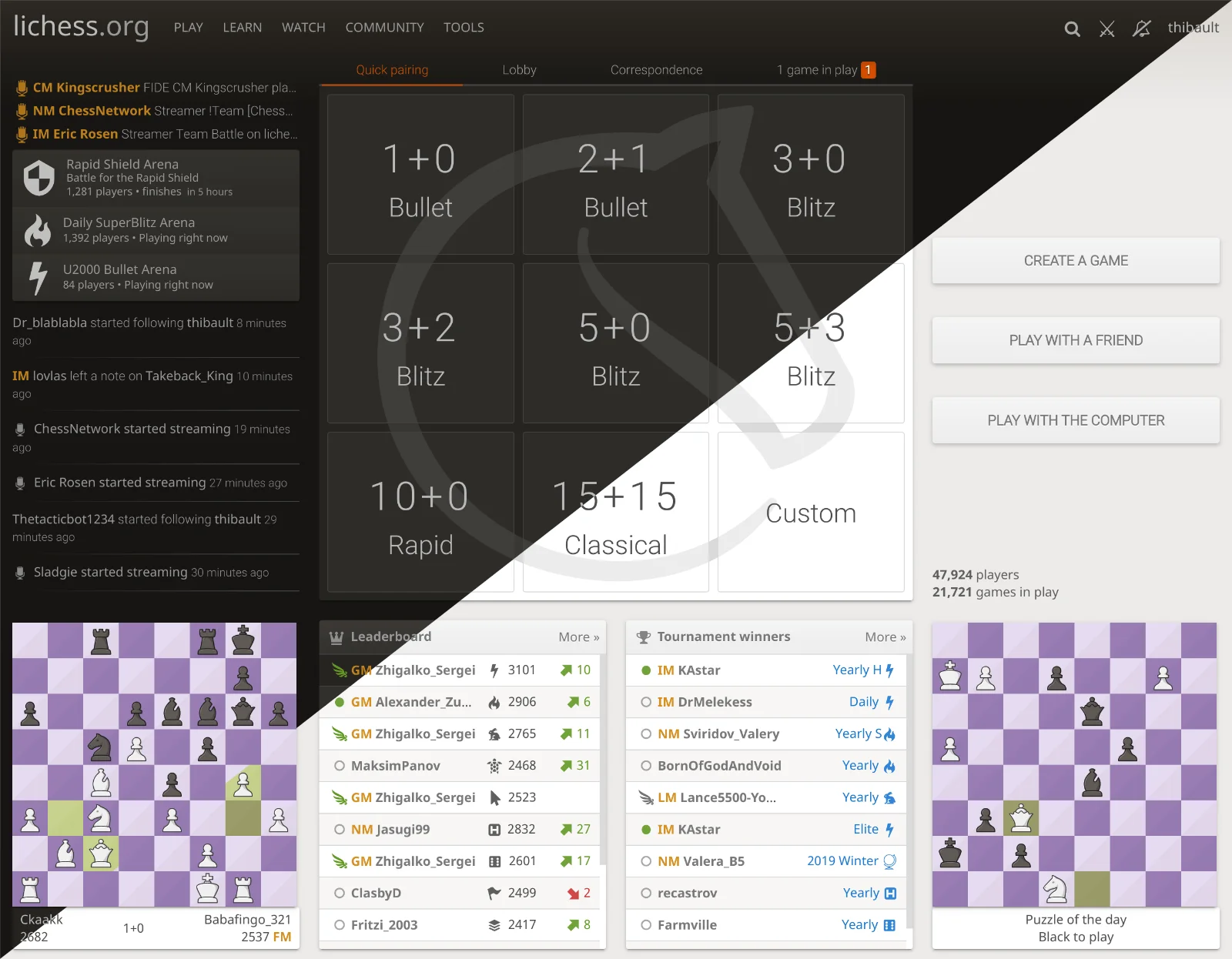
Lila is the server behind lichess.org; the name folds "chess" into "Scala". Lichess and its contributors develop it in public on GitHub under the GNU Affero General Public License, version 3 or later. The application is written in Scala 3 on a modified Play 2.8 framework, with Pekko streams doing the asynchronous work. It does not hold WebSocket connections itself: a separate server, lila-ws, keeps the live connections open and exchanges messages with lila through Redis. MongoDB stores everything durable, Elasticsearch indexes games, forums, teams and studies when search is switched on, and computer analysis comes from Stockfish running inside fishnet clients. The browser client is TypeScript.
Two practical consequences follow from that design. The repository publishes no releases, and the onboarding guide builds whatever is on master, so the version you run is a commit hash; record it and stay on it until you have tested the next one. A self-hosted instance is also an island. It starts with an empty database, its accounts and ratings have no link to lichess.org, and the opening explorer and endgame tablebases are separate services that lila calls over HTTP, which you either deploy or do without. The people for whom that trade makes sense are clubs, schools and federations that want private play, their own tournaments or lila's class tools under their own name, and developers who need a server to test bots against. If all you want is tooling on top of lichess.org, its public API is the lighter route.
Our servers are in Panama City and answer to Panamanian law. A US DMCA notice has no legal effect here, and we act only on valid orders from competent Panamanian authorities.
03/06
Requirements and sizing.
| Component | Role | Runtime / version | Local port | Needed |
|---|---|---|---|---|
| lila | Web application, game logic, HTTP API | JVM, JDK 21 or later | 9663 | Yes |
| lila-ws | WebSocket server: games, lobby, chat | JVM (Scala) | 9664 | Yes |
| MongoDB | All persistent data | 6.x to 8.x | 27017 | Yes |
| Redis | Message bus between lila and lila-ws | any current release | 6379 | Yes |
| nginx | TLS and reverse proxy | Debian 13 package | 80, 443 | For a public site |
| fishnet client | Stockfish analysis | Rust | connects to lila | Optional |
| lila-fishnet | Moves for "play with the computer" | JVM | 9665 | Optional |
| lila-search + Elasticsearch | Game, forum, team and study search | JVM | 9673 | Optional |
| Build tools | coursier (sbt), Node.js 24+, pnpm | build time only | — | Yes |
The onboarding wiki asks for at least 8 GB of RAM for a development copy, and the lila-docker README puts the build alone at about 12 GB; when sbt runs short, the wiki notes, it dies with a bare Killed. MongoDB is the other large consumer. Left to its defaults it gives its WiredTiger cache half of the RAM minus 1 GB, which on a 32 GB machine comes to 15.5 GB (theoretical: 0.5 × 31 GB). That is right for a dedicated database server and wrong for a box shared with two JVMs, so cap it. This is the budget we would start from on Iron:
| Process | Starting limit on Iron (theoretical) |
|---|---|
lila heap (-Xmx) | 6 GB |
| lila-ws heap | 1 GB |
| MongoDB WiredTiger cache | 6 GB |
| Redis | under 0.5 GB |
| Elasticsearch, if search is enabled | 2 GB |
| Left for page cache, fishnet and a rebuild | about 16.5 GB |
These are limits we chose, not measurements, and each JVM's resident size runs above its heap. The reason to leave half the machine unallocated is the next build: at about 12 GB it fits beside the live site, so an update costs a restart rather than an evening of downtime spent compiling.
CPU matters less than it looks. At club scale lila and lila-ws spend most of their time waiting on the network, and Stockfish is the process that will take every thread you give it. Start the fishnet client with --cores 6 and the JVMs keep the other half of Iron's 12 threads. Sustained full load on a dedicated server is not a fair-use problem with us; mining is allowed on our servers, and an analysis queue is a lighter tenant than a miner.
The Cloud VPS range can run lila, with compromises. Pro, at 8 GB, sits on the wiki's floor for a development copy and cannot build the code. Power, at 16 GB for $42.99, can carry a small instance if you compile elsewhere (in CI or on a workstation) and copy target/universal/stage across, but it leaves no room for search. Ultra has Iron's 32 GB for $65.99, a dollar more, on shared vCPUs. Transfer is not the argument either way: chess traffic is moves and clock ticks, and the monthly allowances on the VPS plans are far beyond what a club generates. When memory rather than cores becomes the limit, adding 32 GB to Iron for $12 gives 64 GB at $76.99, which is cheaper than moving to Steel; Steel (8 cores, 64 GB, 2 TB, $84.99) is the step when fishnet needs more threads.
Location counts for more than bandwidth in chess. From PTY1 the theoretical floor on a round trip, from great-circle distance and light in fibre, is 7.7 ms to Bogotá, 18.7 ms to Miami, 24.1 ms to Mexico City and 50.9 ms to São Paulo, against 81.6 ms to Madrid and 91.1 ms to Frankfurt before any routing is added. A league spread across the Americas is well served from Panama City. A European club that plays bullet should host in Europe, and we would say the same in a ticket. DDoS protection is included on Iron, as it is for the game servers we host, which matters once a public chess site has been around long enough to attract floods.
04/06
How to deploy it
with us.
- 01
Trying it first: lila-docker over an SSH tunnel
If you want to see lila before committing to a build, lila-docker runs on a machine of Iron's size. It needs Docker Engine with the compose plugin and git; everything else, from Scala to MongoDB and Node.js, runs in containers. The first start asks which optional services you want and takes five to ten minutes before the site answers on port 8080. Reach it through a tunnel, not the public address:
git clone https://github.com/lichess-org/lila-docker
cd lila-docker && ./lila-docker start
# then, from your workstation:
ssh -L 8080:127.0.0.1:8080 you@your-server-ip
Treat it as the developer tool it is. Its optional services include a MongoDB admin page, a mail catcher and an InfluxDB instance with the credentials admin/password, and Docker publishes container ports through its own iptables rules, ahead of the chains ufw manages, so a host firewall alone will not hide them. Close them in the
DOCKER-USERchain, the one place Docker leaves for your own rules, so that only SSH answers from outside, and check from another machine withnmapbefore you leave it running. - 02
A production layout
The layout we recommend keeps the two JVM applications as plain staged builds under systemd, the datastores in containers bound to loopback, and nginx in front with TLS.
Start with the firewall. Allow 22, 80 and 443 in ufw, and nothing else. lila-ws believes the
X-Forwarded-Forheader it receives, and its README says it must only ever run behind a reverse proxy, so ports 9663 and 9664 must not be reachable from outside. Because the JVMs are ordinary processes rather than Docker-published ports, ufw does cover them.The datastores go in a small Compose file, published on 127.0.0.1 only:
# /opt/lila/compose.yml — reachable from this host alone
services:
  mongodb:
    image: mongo:8.0
    # cap the cache; raise BSON depth for long annotated PGN imports (see the lila wiki)
    command: ["--wiredTigerCacheSizeGB", "6", "--setParameter", "maxBSONDepth=999"]
    ports: ["127.0.0.1:27017:27017"]
    volumes: ["./mongo:/data/db"]
    restart: unless-stopped
  redis:
    image: redis:7-alpine
    ports: ["127.0.0.1:6379:6379"]
    restart: unless-stopped
Then the toolchain and the build, as an unprivileged
lilauser. Debian 13 packages OpenJDK 21, which meets lila's minimum, but its own Node.js package is older than the Node 24 that lila now asks for, so take Node from nvm as the wiki suggests.sudo apt install -y git openjdk-21-jdk-headless nginx python3-certbot-nginx curl -fL https://github.com/coursier/coursier/releases/latest/download/cs-x86_64-pc-linux.gz | gzip -d > cs chmod +x cs && ./cs setup --yes # provides sbt nvm install 24 # after installing nvm itself git clone --recursive https://github.com/lichess-org/lila.git && cd lila corepack enable # pins the pnpm version lila expects docker compose -f /opt/lila/compose.yml exec -T mongodb mongosh lichess < bin/mongodb/indexes.js ui/build # compiles the TypeScript and SCSS client ./lila.sh stage # launcher and jars in target/universal/stagestageis the only packaging task lila's build is set up for, and Lichess's CI archives exactly that directory.Configuration lives outside the checkout. The comment at the top of lila's
conf/base.confstates that every secret in it is a development value never used in production, so replace each one with its own long random string:# /etc/lila/prod.conf, passed with -Dconfig.file include "application" net { domain = "chess.example.org" socket.domains = ["ws.chess.example.org"] asset.domain = "chess.example.org" asset.base_url = "https://chess.example.org" base_url = "https://chess.example.org" site.name = "Example Chess Club" crawlable = false } mailer.primary { mock = false # the default only pretends to send host = "smtp.your-relay.example" port = 587 tls = true user = "lila" password = "change-me" sender = "Example Chess Club <noreply@chess.example.org>" } security.email_confirm.enabled = true security.email_confirm.secret = "…" security.password_reset.secret = "…" security.email_change.secret = "…" security.login_token.secret = "…" storm.secret = "…" api.token = "…"# /etc/lila/ws.conf, for lila-ws include "application" http.port = 9664 mongo.uri = "mongodb://127.0.0.1:27017/lichess" redis.uri = "redis://127.0.0.1" csrf.origin = "https://chess.example.org"asset.domainandasset.base_urldecide where browsers fetch the compiled JavaScript and CSS; lichess.org puts those behind a CDN, and on one machine they can stay on the main hostname. lichess.org sends its mail through Amazon SES, so your instance needs a relay of its own on port 587. If you would rather run the mail server yourself, outbound port 25 is open on every VPS we sell, and a Starter at $6.99 is enough for an MTA. Swiss tournaments need the bbpPairings binary compiled and its path set inswiss.bbpairing; arenas work without it.nginx serves two hostnames on the one included IPv4 address, the site and the socket domain:
server {
    listen 443 ssl;
    server_name chess.example.org;
    location /fishnet/ { return 404; }        # local fishnet clients use 127.0.0.1:9663
    location / {
        proxy_pass http://127.0.0.1:9663;
        proxy_set_header Host $host;
        proxy_set_header X-Forwarded-For $remote_addr;
        proxy_set_header X-Forwarded-Proto https;
    }
}
server {
    listen 443 ssl;
    server_name ws.chess.example.org;
    location / {
        proxy_pass http://127.0.0.1:9664;
        proxy_http_version 1.1;
        proxy_set_header Upgrade $http_upgrade;
        proxy_set_header Connection "upgrade";
        proxy_set_header X-Forwarded-For $remote_addr;
    }
}
Two lines in that file are deliberate. Setting
X-Forwarded-Forto$remote_addroverwrites whatever the client sent; appending with$proxy_add_x_forwarded_forwould let anyone plant an address that lila-ws then trusts for rate limits and bans. The 404 on/fishnet/exists becausebase.confships withfishnet.offline_mode = true, which accepts moves and analysis from any client; with the path closed at the proxy, only processes on the machine can submit work. Run your own client against the loopback address,cargo run --release -- --endpoint http://127.0.0.1:9663/fishnet/ --cores 6, and certbot adds the certificate lines to both blocks.Run both applications as systemd services. The launcher accepts JVM flags prefixed with
-J, and the reactivemongo property is the onelila.shpasses in development, so keep it:# /etc/systemd/system/lila.service (excerpt) [Service] User=lila ExecStart=/opt/lila/stage/bin/lila -J-Xms2g -J-Xmx6g \ -Dconfig.file=/etc/lila/prod.conf \ -Dreactivemongo.api.bson.document.strict=false Restart=on-failureBack up the database, not the disk. A nightly
mongodumppiped into restic lands in an object storage bucket in the same facility, and restic encrypts it before upload:docker compose -f /opt/lila/compose.yml exec -T mongodb mongodump --archive --gzip \ | restic -r s3:https://YOUR-ENDPOINT/YOUR-BUCKET backup --stdin --stdin-filename lila.archive.gzThe buckets speak S3; they are not a block device, and MongoDB's data directory must never sit on an
rclone mount.
05/06
Cost.
| Item | Price |
|---|---|
| Iron, billed monthly | $64.99 a month |
| Iron, billed quarterly (−10 %) | $175.47 a quarter, $58.49 a month (theoretical) |
| Iron, billed yearly (−25 %) | $584.91 a year, $48.74 a month (theoretical) |
| +32 GB RAM, 64 GB in total | +$12.00 a month |
| Backup space, 1 TB | +$5.00 a month |
| Object storage, 250 GB for dump archives | +$1.99 a month |
| Priority support | +$10.00 a month |
Iron with a 250 GB bucket for backups comes to $66.98 a month. The price includes the 10 Gbps port with unmetered traffic under fair use, DDoS protection, one IPv4 address, the KVM console and full root. Lila costs nothing to license; your domain and the SMTP relay are the only other bills. Payment is in cryptocurrency only (AVAX, BCH, BNB, BTC, DOGE, ETH, LTC, SOL, TRX, USDC, USDT or XMR), with balances kept in US dollars. Top-ups of $50 or more carry a bonus, so $250 becomes $287.50, enough for four months of Iron at the monthly price with $27.54 left over (theoretical). The unused paid part of a top-up is refundable within 14 days, and business customers can pay in crypto too; a club or federation ordering as an association is welcome. The full terms are on the pricing page. Opening the account is no-KYC: an email address is enough.
06/06
Limits, acceptable use
and your obligations.
Panamanian law applies to every server, and our acceptable use policy excludes sexual abuse material, malware, botnets, phishing, spam, fraud and attacks on other networks. A chess server is a user-generated-content platform the moment you open chat, forums, studies and blogs, and moderating it is your job; lila ships the report queue and moderator tools Lichess uses, which helps. On copyright, a DMCA notice has no legal effect on servers in Panama. We forward copyright complaints to the customer and act on a decision of a competent Panamanian authority, or where the content is manifestly unlawful; our answer on DMCA notices covers the procedure.
The licences come with obligations of their own. Under the AGPL, if you modify lila and people use it over the network, you must offer them the source of your modified version. Several bundled assets are not under the AGPL: the logo, favicon and touch icon carry the condition "Only use to refer to lichess.org", so replace them and choose your own name. The Alpha piece set is free only for personal non-commercial use, and a long list of piece sets and one sound set are CC BY-NC-SA 4.0; if your instance is commercial (paid coaching, paid entry), remove them. If you add cash prizes or wagering, gambling law in Panama and in your players' countries becomes your compliance question, not lila's.
You are the controller of your players' data: email addresses, IP addresses, game histories and chat. Panama's Law 81 of 2019, implemented by Executive Decree 285 of 2021, applies, and lila logs HTTP requests by default (net.http.log = true), so decide how long you keep those logs. Panama has no EU adequacy decision, so a club with players in the EU needs appropriate safeguards under GDPR Article 46, typically the 2021 standard contractual clauses; the clauses name both parties, so an organisation that needs them identifies itself to us in that contract, whatever it chose at sign-up. The data protection page goes further. As for foreign requests: as of 31 October 2026 the US Department of Justice lists CLOUD Act executive agreements only with the United Kingdom and Australia, none with Panama, but the mutual legal assistance treaty in force since 6 September 1995 gives US prosecutors a route through Panamanian authorities, and Article 29 of the Constitution requires a judicial order before private communications are intercepted. That is a slower process with a Panamanian court in the middle, not immunity; the offshore hosting page sets it out.
Catalogue·Options
Every configuration, every option, every price.
Six dedicated servers, all with a 10 Gbps port and unmetered traffic. Add NVMe, memory, a faster port or more addresses when you order.
| Server | CPU | Cores / threads | Memory | Storage | Port, traffic | Price | Order |
|---|---|---|---|---|---|---|---|
| IronRecommendedEntry level | EPYC 4244P | 6 / 12 | 32 GB DDR5 | 1 TB NVMe | 10 Gbps unmetered | $64.99/mo | Order Iron |
| SteelBalanced | EPYC 4344P | 8 / 16 | 64 GB DDR5 | 2 TB NVMe | 10 Gbps unmetered | $84.99/mo | Order Steel |
| ChromeMore cores | EPYC 4464P | 12 / 24 | 64 GB DDR5 | 3 TB NVMe | 10 Gbps unmetered | $109.99/mo | Order Chrome |
| CobaltHigh frequency | EPYC 4564P | 16 / 32 | 96 GB DDR5 | 4 TB NVMe | 10 Gbps unmetered | $139.99/mo | Order Cobalt |
| TungstenLarge memory | EPYC 4584PX | 16 / 32 | 128 GB DDR5 | 6 TB NVMe | 10 Gbps unmetered | $164.99/mo | Order Tungsten |
| TitanMaximum density | EPYC 9254 | 24 / 48 | 192 GB DDR5 | 8 TB NVMe | 10 Gbps unmetered | $219.99/mo | Order Titan |
NVMe can be added in 2 TB steps up to 12 TB.
Every plan
- 10 Gbps port25 Gbps for $25 more
- Unmetered trafficfair use, no per-TB bill
- DDoS protectionalways on
- 1 IPv4 addressmore at $2 each
- KVM consoleand full root access
FAQ
Questions
people ask first.
Short answers about running this in PTY1. If yours is not here, open a ticket from your panel.
Is lila-docker good enough for a public instance?
No. Lichess describes it as a local development environment, and it behaves like one: optional admin tools with default credentials, a mail catcher instead of real mail, and ports published around ufw. Use it on Iron through an SSH tunnel to evaluate lila, then build the production layout above.
Can I run lila on a VPS instead of a dedicated server?
Only a small instance, and only if you compile elsewhere. The Power VPS (16 GB, $42.99) can run a staged build copied from CI, but it cannot build lila itself and leaves no room for search. The Ultra VPS has the same 32 GB as Iron for a dollar more on shared vCPUs, so Iron is the better buy.
Does a self-hosted instance share accounts, ratings or games with lichess.org?
No. It has its own MongoDB database, starts empty, and has no link to lichess.org accounts or ratings. Players register again, and ratings start from scratch.
Do I need Stockfish on the server?
Not to play. Computer analysis needs a fishnet client and "play with the computer" needs lila-fishnet as well; both are optional. If you run them, cap fishnet at half of Iron's 12 threads so the web side stays responsive.
Can I call my site Lichess and keep its logo?
No. The logo and icons are licensed only for referring to lichess.org, and running a modified copy under its name would mislead your players. Pick your own name and artwork; the AGPL code itself is yours to run and change.
What happens if someone sends a DMCA notice about a game, a study or a forum post?
A DMCA notice has no legal effect on servers in Panama. We forward copyright complaints to the customer and act on a decision of a competent Panamanian authority, or where the content is manifestly unlawful. You decide how to answer the complaint, and your moderators deal with what your users post.
Sources
Every fact on this page, with its source
Checked 5 Nov 2026 unless noted.
Panamanian law and authorities
- Constitution of Panama, article 29Gaceta Oficial 25176 (Legispan) · checked 31 Oct 2026
- Law 81 of 26 March 2019 on personal data protection, implemented by Executive Decree 285 of 28 May 2021Gaceta Oficial 28743-A · checked 31 Oct 2026
EU and other countries
- CLOUD Act executive agreements listed only with the United Kingdom and AustraliaUS Department of Justice · verified 31 Oct 2026
- No EU adequacy decision for Panama; safeguards under Article 46GDPR · checked 31 Oct 2026
Industry, providers and software
- Lila stack (Scala 3, modified Play 2.8, Pekko, lila-ws over Redis, MongoDB, Elasticsearch, fishnet), AGPL-3.0-or-later licence, no published releaseslichess-org/lila README
- Hardware floor of 8 GB RAM, JDK 21 or later, Node.js 24 or later, coursier 2, pnpm via corepack, MongoDB 6 to 8.x, ports 9663 and 9665, Killed on low RAM, maxBSONDepth fixLichess Development Onboarding wiki
- Development secrets, http.port, net. keys, mailer defaults, fishnet.offline_mode, net.http.log, swiss.bbpairing, search endpoint 9673, socket domain 9664lila conf/base.conf
- stage as lila's only packaging task, output in target/universal/stagelila build.sbt
- application.conf default and the reactivemongo propertylila lila.sh
- Logo licence, non-free and NC asset licences, external services used by lichess.org (Cloudflare, Amazon SES)lila COPYING.md
- lila-docker as a development environment, about 12 GB of RAM to build, 5 to 10 minute first start, optional services and their portslila-docker README
- lila-ws architecture, custom config file, trust in X-Forwarded-For and reverse-proxy requirementlichess-org/lila-ws README
- Theoretical round-trip floors from PTY1 — our calculation from great-circle distance at 200,000 km/s in fibre, published onDedicated servers
Other references
- WiredTiger default cache of 50 % of (RAM − 1 GB) or 256 MBMongoDB manual, storage FAQ
- Docker-published ports bypassing ufwdocs.docker.com
- US–Panama mutual legal assistance treaty, signed 1991, in force 6 September 1995US Department of State · checked 31 Oct 2026
- Prices, specifications and options — Panama Host catalogue, 1 Nov 2026; billing-period totals, the 15.5 GB cache figure, the memory budget and the top-up example are our own calculations (theoretical), 5 Nov 2026Panama Host
Your server in Panama,
ready when you are.
Cloud VPS start at $6.99 a month and are ready 60 to 120 seconds after you order.