Self-hosted app·Developer tools, backends and AI
Langfuse hosting
on a Cloud VPS in Panama City.
Langfuse hosting in Panama City: self-host Langfuse v4 with Docker Compose on a Cloud VPS, sized against the vendor's own figures, paid in crypto.
- ClickHouse
- PostgreSQL
- Redis
- MinIO
PTY1·Panama City
In stockRecommended for this use case
- 1 Gbps port15 TB of transfer a monthIncluded
- Debian 13preinstalled with the orderIncluded
- DDoS protection, 1 IPv4VNC console and full rootIncluded
Optional: daily backups +20% · extra IPv4 $2 · priority support $10
Pay yearly: $116.99 a year, about 25% less
- No KYC
- Crypto only
- Panama jurisdiction
- 4 vCPU, 4 GB RAM
- 160 GB NVMe local storage
- 15 TB transfer on a 1 Gbps port
- DDoS protection included
- Panamanian law
01/06
Short answer.
Yes. Langfuse v4 runs on our Cloud VPS in PTY1, Panama City, from the project's own docker-compose.yml on Debian 13 with full root. The figure that decides everything is memory: Langfuse recommends at least 4 cores and 16 GiB of RAM for a Compose VM, with around 100 GiB of disk, because ClickHouse, PostgreSQL, Redis, MinIO and two Node.js services all share the one machine.
Cloud VPS Standard ($12.99/month: 4 vCPU, 4 GB RAM, 160 GB NVMe) is the smallest box we would put Langfuse on. It is enough to evaluate the product, or for one developer tracing a low-volume application, provided you cap ClickHouse's memory and move blob storage out of the VM. For a team that keeps Langfuse open all day, take Cloud VPS Power ($42.99: 12 vCPU, 16 GB, 640 GB NVMe), the first plan that meets Langfuse's own number without tuning.
02/06
What Langfuse is,
and who maintains it.
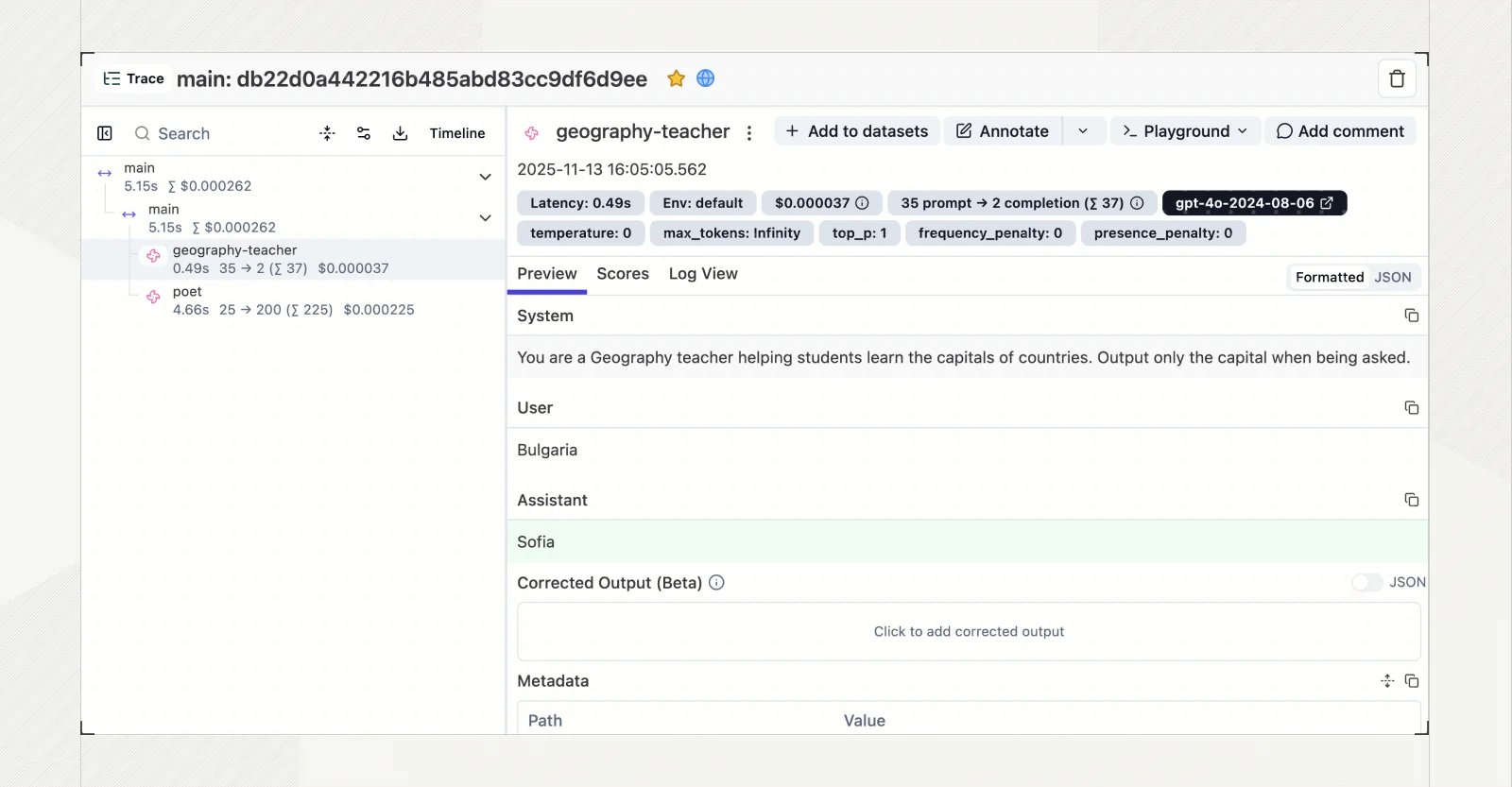
Langfuse is an open-source platform for tracing LLM applications and agents. Every model call, tool call and retrieval step is stored as an observation with its token counts, cost, latency and full input and output; prompt versioning, datasets, experiments and LLM-as-a-judge evaluations are built on top of that record. Applications report to it through the Python or JS/TS SDKs, or through any OpenTelemetry exporter.
It was started by a Berlin team from Y Combinator's W23 batch, and ClickHouse, Inc. acquired it on 16 January 2026. The team stayed on, and the core remains under the MIT licence; the ee folders carry a commercial licence. Server v4 has been generally available for self-hosting since 29 July 2026, and v3 now receives security patches only, until 31 January 2027. The latest release at the time of writing is v4.72.0, published on 29 October 2026.
People self-host Langfuse because of what the traces contain. A Langfuse database is a verbatim archive of your prompts and of your users' messages, and on your own VPS that archive lives on a disk you control. You also decide when to upgrade, which matters this month: Langfuse Cloud becomes v4-only on 16 November 2026, and the current SDKs (Python v5, JS/TS v6) require a v4.59.0 or later server.
Our servers are in Panama City and answer to Panamanian law. A US DMCA notice has no legal effect here, and we act only on valid orders from competent Panamanian authorities.
03/06
Requirements and sizing.
The Compose file starts six containers: langfuse-web (UI and API on port 3000), langfuse-worker (port 3030, bound to localhost), PostgreSQL 17, ClickHouse 25.12, Redis 7 and MinIO. Only the web container and MinIO's S3 port (9090) are published on all interfaces; the databases listen on 127.0.0.1. ClickHouse cannot be left out, since Langfuse supports no other store for traces, observations and scores, and v4 needs ClickHouse 25.12 or newer.
For a production layout with each service on its own machine, Langfuse lists 2 CPU and 4 GiB each for web, worker and PostgreSQL, 1 CPU and 1.5 GiB for Redis, 2 CPU and 8 GiB for ClickHouse, and 2 CPU and 4 GiB for self-hosted blob storage. That adds up to 25.5 GiB; the 16 GiB Compose figure already assumes everything shares one kernel. ClickHouse's own documentation is blunter about small machines: below 16 GB its default settings cause memory exceptions, and although it will run on as little as 2 GB, it then needs tuning and only ingests at a low rate.
| Plan | vCPU / RAM / NVMe | Monthly transfer | Price | Fit for Langfuse |
|---|---|---|---|---|
| Cloud VPS Standard | 4 / 4 GB / 160 GB | 15 TB | $12.99 | Evaluation or one developer at low volume; needs the ClickHouse settings below, ideally with blob storage in a bucket |
| Cloud VPS Pro | 6 / 8 GB / 320 GB | 20 TB | $22.99 | Small team at modest volume; still under Langfuse's 16 GiB figure, so keep the tuning |
| Cloud VPS Power | 12 / 16 GB / 640 GB | 40 TB | $42.99 | Meets Langfuse's Compose recommendation as shipped; our pick for a team |
Disk fills faster than the RAM question suggests. Self-hosted OSS Langfuse keeps event data indefinitely, because the built-in data-retention feature is Enterprise Edition only; on the free version, deletion is your job, through ClickHouse TTLs and a lifecycle rule on the event bucket. ClickHouse's system log tables also grow without limit unless you remove them, and Docker's default json-file log driver never rotates. The steps below deal with both.
Bandwidth is rarely the constraint. VPS traffic is counted against the plan's included monthly transfer, but as a theoretical example, a million observations a month at an average of 20 KB each comes to about 20 GB, roughly 0.13 % of Standard's 15 TB.
04/06
How to deploy it
with us.
- 01
1. Order the VPS with Debian 13
Use Cloud VPS Standard for a trial or Cloud VPS Power for a team. Point a DNS name such as
langfuse.example.comat the server's IPv4 address before you start. - 02
2. Install Docker from Docker's Debian repository
Langfuse's VM guide uses Ubuntu commands; on our image, APT has to point at
linux/debianwith thetrixiesuite, which Docker supports. Set log rotation before the first container starts, so nothing needs recreating later.apt-get update && apt-get install -y ca-certificates curl git caddy install -m 0755 -d /etc/apt/keyrings curl -fsSL https://download.docker.com/linux/debian/gpg -o /etc/apt/keyrings/docker.asc echo "deb [arch=$(dpkg --print-architecture) signed-by=/etc/apt/keyrings/docker.asc] https://download.docker.com/linux/debian trixie stable" \ > /etc/apt/sources.list.d/docker.list apt-get update && apt-get install -y docker-ce docker-ce-cli containerd.io docker-buildx-plugin docker-compose-plugin echo '{"log-driver":"json-file","log-opts":{"max-size":"50m","max-file":"3"}}' > /etc/docker/daemon.json systemctl restart docker - 03
3. Clone a tagged release and generate the secrets
Every unsafe default in the file is marked
# CHANGEME, and several have to agree with each other: the PostgreSQL password reappears insideDATABASE_URL, and the MinIO root password doubles as the threeLANGFUSE_S3_*_SECRET_ACCESS_KEYvalues. Hex passwords spare you URL-encoding trouble inDATABASE_URL. PostgreSQL reads its password only when the volume is first initialised, so set it before the first start.git clone --depth 1 --branch v4.72.0 https://github.com/langfuse/langfuse.git /opt/langfuse && cd /opt/langfuse PG=$(openssl rand -hex 24); S3=$(openssl rand -hex 24) cat > .env <<EOF NEXTAUTH_URL=https://langfuse.example.com NEXTAUTH_SECRET=$(openssl rand -base64 32) SALT=$(openssl rand -base64 32) ENCRYPTION_KEY=$(openssl rand -hex 32) TELEMETRY_ENABLED=false POSTGRES_PASSWORD=$PG DATABASE_URL=postgresql://postgres:$PG@postgres:5432/postgres CLICKHOUSE_PASSWORD=$(openssl rand -hex 24) REDIS_AUTH=$(openssl rand -hex 24) MINIO_ROOT_PASSWORD=$S3 LANGFUSE_S3_EVENT_UPLOAD_SECRET_ACCESS_KEY=$S3 LANGFUSE_S3_MEDIA_UPLOAD_SECRET_ACCESS_KEY=$S3 LANGFUSE_S3_BATCH_EXPORT_SECRET_ACCESS_KEY=$S3 EOF chmod 600 .env - 04
4. Put your changes in an override file
Compose merges
docker-compose.override.ymlautomatically, so the upstream file stays clean for the next release. Two changes matter. Ports published by Docker are opened by Docker's own packet-filter rules, and Docker does not support firewall rules written directly in nftables, so a host firewall you add afterwards will not reliably close port 3000; bind it to localhost and let Caddy terminate TLS on 443 instead. The upstream file also uses the floating:4image tag, which meansdocker compose up --pull alwaysmoves you to whatever release is current; pin the version you tested. The!overridetag needs a current Compose plugin, which the packages above provide.# /opt/langfuse/docker-compose.override.yml services: langfuse-web: image: docker.langfuse.com/langfuse/langfuse:4.72.0 ports: !override - "127.0.0.1:3000:3000" # environment: # AUTH_DISABLE_SIGNUP: "true" # enable once your accounts exist (step 6) langfuse-worker: image: docker.langfuse.com/langfuse/langfuse-worker:4.72.0 clickhouse: volumes: - ./ch/low-memory.xml:/etc/clickhouse-server/config.d/low-memory.xml:ro - ./ch/threads.xml:/etc/clickhouse-server/users.d/threads.xml:ro# /etc/caddy/Caddyfile langfuse.example.com { reverse_proxy 127.0.0.1:3000 }On Standard and Pro, the two ClickHouse files follow ClickHouse's advice for machines under 16 GB and Langfuse's advice on system log tables, which Langfuse never reads. The memory cap below leaves room for the other five containers on a 4 GB box; treat it as a starting point rather than a measured optimum. On Power you can drop the cap and the thread limit and keep only the log-table removals, which save disk on any plan. A 2 to 4 GB swap file on Standard turns an out-of-memory kill into a slow query, which is usually the better failure.
<!-- ch/low-memory.xml --> <clickhouse> <mark_cache_size>524288000</mark_cache_size> <max_server_memory_usage>1610612736</max_server_memory_usage> <trace_log remove="1"/> <text_log remove="1"/> <opentelemetry_span_log remove="1"/> <asynchronous_metric_log remove="1"/> <metric_log remove="1"/> <latency_log remove="1"/> </clickhouse><!-- ch/threads.xml --> <clickhouse> <profiles><default><max_threads>2</max_threads></default></profiles> </clickhouse> - 05
5. Decide where blob storage lives
Langfuse writes a raw object for every ingestion request, and SDKs and browsers upload media (images, audio, PDFs inside traces) directly to storage through presigned URLs. If you keep the bundled MinIO, port 9090 has to be reachable from wherever your SDKs run, so give it its own hostname in Caddy and set
LANGFUSE_S3_MEDIA_UPLOAD_ENDPOINTto that URL. On a 4 GB machine we would rather drop MinIO and point the event, media and export settings at an S3-compatible bucket from our object storage: 250 GB costs $1.99 a month, billed by size with no request fees, which suits a workload that writes one object per event. Removing MinIO means deleting the service and itsdepends_onentries, which is simpler in your own copy of the Compose file than through override merge rules. Expire theevents/prefix after about 30 days, as Langfuse suggests, but never themedia/prefix: Langfuse tracks uploads by hash in PostgreSQL, and expired media breaks the traces that reference it. - 06
6. Start, create the accounts, close sign-up
Run
docker compose up -d; after two or three minutes the web container logs "Ready". There is no default admin, and anyone who reaches the page can register, so create your account straight away, or pre-create the organisation, project, keys and first user with theLANGFUSE_INIT_*variables. Then uncommentAUTH_DISABLE_SIGNUPin the override and rundocker compose up -dagain. It also blocks invited colleagues who have no account yet, so create theirs first or configure SSO. Outbound port 25 is open on every VPS if you want Langfuse to send invitations and password resets throughSMTP_CONNECTION_URL; SPF and DKIM for the sending domain are yours to set up. - 07
Upgrades and backups
To upgrade later, change the pinned tag, run
docker compose pull && docker compose up -d, and read the release notes first. Langfuse states that its ClickHouse schema is not a stable interface, so any TTLs or direct queries you add need re-checking after each major release. The daily-backup option on our VPS copies a running database at block level, which is crash-consistent at best; add apg_dumpand a ClickHouseBACKUPon a schedule, and ship both to a bucket with restic.
05/06
Cost.
| Standard | Pro | Power | |
|---|---|---|---|
| Monthly | $12.99 | $22.99 | $42.99 |
| With daily backups (+20 %, computed) | $15.59 | $27.59 | $51.59 |
| Yearly billing, per month (≈ −25 %, computed) | ≈ $9.75 | ≈ $17.25 | ≈ $32.25 |
| Object storage 250 GB instead of MinIO | +$1.99 | +$1.99 | +$1.99 |
Each plan includes its NVMe disk, its monthly transfer, a 1 Gbps port (2 Gbps on Power) and full root; an extra IPv4 is $2 a month and priority support $10 a month. Langfuse OSS itself costs nothing, and only the Enterprise features in the ee folders need a licence from Langfuse. Payment is in crypto only (AVAX, BCH, BNB, BTC, DOGE, ETH, LTC, SOL, TRX, USDC, USDT, XMR), with balances in US dollars; top-ups run from $25 to $5,000 and carry a bonus of 5 % from $50 up to 20 % from $500, and the unused paid part of a top-up is refundable within 14 days. Ordering is no-KYC: an email address is enough. The full price list is on /pricing/.
If ClickHouse outgrows Power, the next step is Cloud VPS Ultra (16 vCPU, 32 GB, 1 TB, $65.99) or a dedicated Iron server (EPYC 4244P, 32 GB DDR5 ECC, 1 TB NVMe Gen4, $64.99), which adds dedicated cores and a 10 Gbps port with unmetered traffic under fair use. See dedicated servers.
06/06
Jurisdiction,
limits and your obligations.
Your traces sit on NVMe in PTY1, Panama City, under Panamanian law. Panama's personal-data regime is Law 81 of 2019, implemented by Executive Decree 285 of 2021, and Article 29 of the Constitution allows private communications to be intercepted only on the order of a judicial authority. As of 31 October 2026 the US Department of Justice lists CLOUD Act executive agreements only with the United Kingdom and Australia, not Panama; US authorities do have a formal route through the mutual legal assistance treaty in force since 6 September 1995. Whether the six-month data retention of Law 51 of 2009 applies to a hosting provider is a question for Panamanian counsel. If your traces contain personal data of people in the EU, note that Panama has no EU adequacy decision, so the transfer needs safeguards such as the 2021 standard contractual clauses. The wider picture is on our offshore hosting page.
You are the operator of the instance and the controller of whatever your applications send into it, including end users' messages.
A DMCA notice has no legal effect on servers in Panama. We forward copyright complaints to the customer and act on a decision of a competent Panamanian authority, or where the content is manifestly unlawful. The rest of what is and is not allowed is in our acceptable use policy.
Catalogue·Options
Every configuration, every option, every price.
Six cloud VPS plans on AMD EPYC with local NVMe. Transfer is included on every plan, from 10 TB to 100 TB a month.
| Plan | vCPU | Memory | NVMe | Transfer | Port | Price | Deploy |
|---|---|---|---|---|---|---|---|
| StarterStaging, dev | 2 | 2 GB | 80 GB | 10 TB / month | 1 Gbps | $6.99/mo | Deploy Starter |
| StandardRecommendedSmall apps | 4 | 4 GB | 160 GB | 15 TB / month | 1 Gbps | $12.99/mo | Deploy Standard |
| ProProduction | 6 | 8 GB | 320 GB | 20 TB / month | 1 Gbps | $22.99/mo | Deploy Pro |
| PowerHeavy workloads | 12 | 16 GB | 640 GB | 40 TB / month | 2 Gbps | $42.99/mo | Deploy Power |
| UltraDatabases | 16 | 32 GB | 1000 GB | 60 TB / month | 2 Gbps | $65.99/mo | Deploy Ultra |
| TitanDense hosts | 32 | 64 GB | 2000 GB | 100 TB / month | 5 Gbps | $119.99/mo | Deploy Titan |
Every plan runs on AMD EPYC with local NVMe. Yearly billing costs about 25% less.
Every plan
- AMD EPYCon every host
- Local NVMenot network storage
- DDoS protectionalways on
- 1 IPv4 addressmore at $2 each
- VNC consoleand full root access
FAQ
Questions
people ask first.
Short answers about running this in PTY1. If yours is not here, open a ticket from your panel.
Will Langfuse run on the $12.99 Cloud VPS Standard?
ClickHouse can be tuned to work within that budget, but 4 GB is a quarter of Langfuse's own 16 GiB recommendation for a Compose VM. On Standard, cap ClickHouse's memory, remove its system log tables, add swap and preferably move blob storage to an S3 bucket; treat the result as an evaluation or single-developer instance. For a team, Cloud VPS Power ($42.99, 12 vCPU, 16 GB, 640 GB NVMe) is the plan we recommend.
Can I run Langfuse without ClickHouse?
No. Since v3, ClickHouse stores traces, observations and scores, and Langfuse supports no alternative store. Langfuse v4 requires ClickHouse 25.12 or newer, which is the version its Compose file ships.
Can I use Panama Host object storage instead of MinIO?
Langfuse accepts any S3-compatible storage through its LANGFUSE_S3_* settings, and our buckets are S3-compatible, billed by size, with no request fees. Langfuse classes providers outside its tested list as community-supported, and we have not published a compatibility test against v4. Never apply an expiry rule to the media prefix, only to raw events.
Does a self-hosted Langfuse send data back to Langfuse?
By default it sends one small aggregated telemetry event, such as the version and usage counts, to Langfuse's PostHog pipeline; it never sends trace, prompt or dataset contents. On the OSS edition, TELEMETRY_ENABLED=false on all application containers turns it off; on the Enterprise self-hosted edition it cannot be disabled. Evaluators and the playground are a separate matter: they send content to the model provider you configure.
Should I install Langfuse v3 or v4?
v4. It has been generally available for self-hosting since 29 July 2026, v3 receives security patches only until 31 January 2027, and the current SDKs (Python v5, JS/TS v6) need a v4.59.0 or later server. Existing v3 installations upgrade with Langfuse's v3-to-v4 migration guide.
What do I need to order, and how do I pay?
No-KYC: an email address is enough. Payment is in crypto only (AVAX, BCH, BNB, BTC, DOGE, ETH, LTC, SOL, TRX, USDC, USDT, XMR), with prices and balances in US dollars and the unused paid part of a top-up refundable within 14 days. For anything else, open a support ticket from the client panel.
Sources
Every fact on this page, with its source
Accessed 5 Nov 2026 unless noted.
Panamanian law and authorities
- Panama, Law 81 of 26 March 2019 on personal data protection, Gaceta Oficial 28743-Agacetaoficial.gob.pa
- Panama, Law 51 of 2009, art. 6, Gaceta Oficial 26374gacetaoficial.gob.pa
- Panama, Constitution, art. 29, G.O. 25176s3-legispan.asamblea.gob.pa
EU and other countries
- US Department of Justice, CLOUD Act Resources (executive agreements with the United Kingdom and Australia only)justice.gov · verified 31 Oct 2026
- EU, GDPR art. 46eur-lex.europa.eu
Industry, providers and software
- Langfuse, docker-compose.yml on main (services, image tags, port bindings, # CHANGEME values, TELEMETRY_ENABLED default)github.com
- Langfuse, releases (v4.72.0, 29 October 2026)github.com
- Docker, Install Docker Engine on Debian (Debian 13 Trixie supported; nftables limitation; DOCKER-USER chain)docs.docker.com
Other references
- Langfuse, Docker Compose (VM requirement of 4 cores, 16 GiB, 100 GiB; ports; no default login; upgrade command)langfuse.com
- Langfuse, Versions & Compatibility (v4 GA for self-hosting 29 July 2026; v3 patches through 31 January 2027; Cloud v4 cutover 16 November 2026; SDK minimum v4.59.0)langfuse.com
- Langfuse, Sizing & Scaling (per-service minimum requirements; ClickHouse system log tables; no retention rule on the media bucket)langfuse.com
- Langfuse, ClickHouse (required component; v4 minimum 25.12; schema not a stable API)langfuse.com
- Langfuse, S3 / Blob Storage (event and media buckets; presigned uploads; support levels; lifecycle advice)langfuse.com
- Langfuse, Data Retention (self-hosted: Enterprise Edition; data kept indefinitely by default)langfuse.com
- Langfuse, Authentication and SSO (AUTH_DISABLE_SIGNUP and its effect on invitees)langfuse.com
- Langfuse, Telemetry (self-hosted)langfuse.com
- ClickHouse, ClickHouse welcomes Langfuse (acquisition; MIT licence for core features), 16 January 2026clickhouse.com
- Langfuse, Langfuse joins ClickHouse (team stays; Berlin and SF)langfuse.com
- ClickHouse, OSS usage recommendations, "Using less than 16GB of RAM"clickhouse.com
- US Department of State, Panama–US Mutual Legal Assistance Treaty (signed 1991, in force 6 September 1995)state.gov
Your server in Panama,
ready when you are.
Cloud VPS start at $6.99 a month and are ready 60 to 120 seconds after you order.