Self-hosted app·Personal data, cameras and smart home
Frigate hosting
on a VPS in Panama City.
Frigate hosting on a 12 vCPU VPS in PTY1, Panama City: Docker compose, CPU-only detection with OpenVINO, WireGuard to your cameras, sizing and cost.
- Frigate
- FFmpeg
- SQLite
- Docker
PTY1·Panama City
In stockRecommended for this use case
- 2 Gbps port40 TB of transfer a monthIncluded
- Debian 13preinstalled with the orderIncluded
- DDoS protection, 1 IPv4VNC console and full rootIncluded
Optional: daily backups +20% · extra IPv4 $2 · priority support $10
Pay yearly: $386.99 a year, about 25% less
- No KYC
- Crypto only
- Panama jurisdiction
- 12 vCPU, 16 GB RAM
- 640 GB NVMe local storage
- 40 TB transfer on a 2 Gbps port
- DDoS protection included
- Panamanian law
01/06
Short answer.
Yes. Frigate 0.18.2, the current stable release (published 15 October 2026), runs on our Power cloud VPS in PTY1, Panama City: 12 vCPU, 16 GB RAM, 640 GB NVMe and 40 TB of monthly transfer for $42.99, with a 1 TB object-storage bucket at $7.96 for off-site copies of exports and the configuration. The one thing to understand before ordering is what the server lacks. There is no GPU, no Coral, no Hailo and no USB passthrough, so every frame is decoded in software and object detection runs on the CPU through OpenVINO. Frigate's own documentation treats that as the fallback rather than the plan, and it caps how many cameras one VPS will carry.
The case for running Frigate off-site is narrow and sound: a burglar who leaves with the NVR under his arm takes the evidence with him. A recorder in a data centre in Panama City keeps the footage whatever happens at the site. You pay for that with sustained upload bandwidth from the site and with CPU-only detection. If the site already has a capable mini-PC with an accelerator, running Frigate there and copying alert clips to a bucket with us is often the better design, and we would tell you so in a ticket.
02/06
What Frigate is.
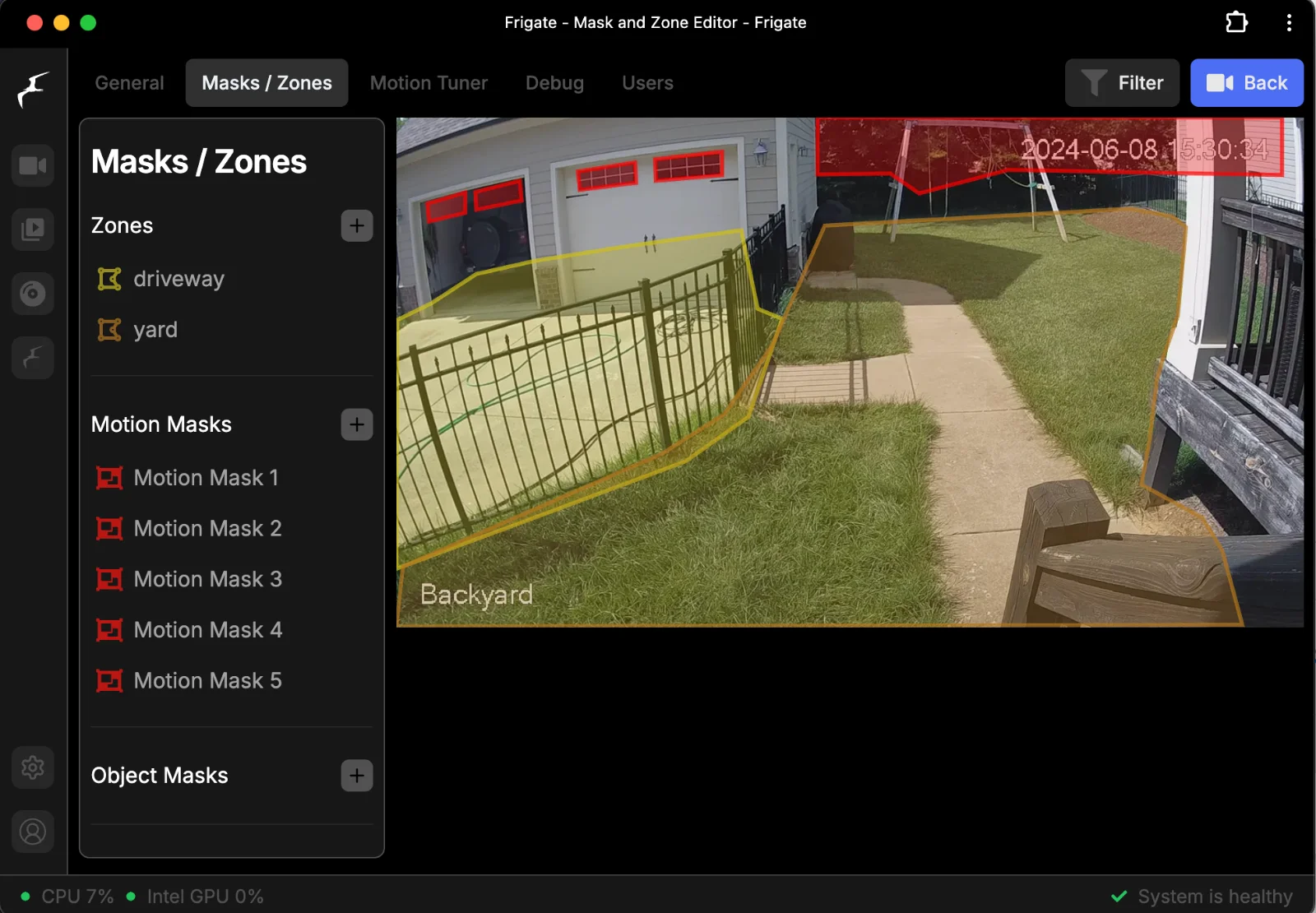
Frigate is an open-source network video recorder for IP cameras, built around real-time object detection. It is MIT-licensed and developed in the open on GitHub under Blake Blackshear's account; Frigate, Inc. publishes the documentation and sells Frigate+, an optional service for models fine-tuned on your own footage. It ships as a single Docker container that bundles ffmpeg, nginx, go2rtc for restreaming and WebRTC, and a SQLite database kept in /config.
The design is what makes it cheap enough to run on a CPU at all. Frigate decodes only a low-resolution detect stream, runs motion detection on it, and sends only the regions that moved to the object detector. Recordings come from the camera's main stream and are written to disk without re-encoding, so a 4 MP recording costs disk and bandwidth but almost no CPU. Since 0.18 nearly every setting can be changed from the web UI, though the YAML file remains fully supported and is what we use below.
Our servers are in Panama City and answer to Panamanian law. A US DMCA notice has no legal effect here, and we act only on valid orders from competent Panamanian authorities.
03/06
Requirements and sizing.
Frigate listens on four ports, and only one of them belongs anywhere near a network you do not control.
| Port | Purpose | On our VPS |
|---|---|---|
| 8971/tcp | Authenticated UI and API | Bind to the WireGuard address only |
| 5000/tcp | Unauthenticated UI and API, admin-level | Never publish |
| 8554/tcp | RTSP restream, unauthenticated by default | Leave unpublished unless Home Assistant needs it |
| 8555/tcp+udp | WebRTC live view | Bind to the WireGuard address only |
CPU is the constraint. Configure each camera's substream at 1280×720 and 5 fps, which is Frigate's default detect rate and the one its documentation says rarely needs changing; set it on the camera, because asking Frigate to drop frames still costs the decode. For detection we use the OpenVINO detector in CPU mode with the SSDLite MobileNet v2 model bundled in the image. Frigate documents OpenVINO as running on AMD CPUs even though Intel does not support it there, and it labels the plain cpu detector as unsuitable for real use. Frigate also expects AVX and AVX2.
Memory is easier. Frigate's shared-memory formula, with room for two extra cameras and 50 MB for logs and cache, gives about 365 MB for six cameras at 1280×720 (theoretical), so the compose file below sets shm_size to 384 MB, plus a 1 GB tmpfs for the recording cache. The 16 GB on Power leaves headroom for semantic search or face recognition if you enable them.
Disk decides retention. The table assumes continuous recording, 90 % of the NVMe available to recordings, and a main stream of 4 Mbit/s (typical H.264) or 2 Mbit/s (typical H.265). One camera at 4 Mbit/s writes 43.2 GB a day. Divide the figures by your camera count.
| Plan | NVMe | Price/mo | Camera-days at 4 Mbit/s | Camera-days at 2 Mbit/s |
|---|---|---|---|---|
| VPS Pro | 320 GB | $22.99 | 6.7 | 13.3 |
| VPS Power | 640 GB | $42.99 | 13.3 | 26.7 |
| VPS Ultra | 1 TB | $65.99 | 20.8 | 41.7 |
| VPS Titan | 2 TB | $119.99 | 41.7 | 83.3 |
All retention figures are theoretical. Six H.264 cameras recording continuously fill Power in a little over two days, which is why the configuration below keeps continuous footage for one day, motion for three, and only alerts and detections for longer. Do not set retention longer than the disk holds and hope: when less than about an hour of recording space remains, Frigate deletes the oldest segments regardless of retention settings.
Bandwidth runs the other way from most workloads. A camera sending a 4 Mbit/s main stream and a 0.5 Mbit/s substream over the tunnel moves about 1.46 TB per 30 days; six cameras come to about 8.7 TB (theoretical), comfortably inside Power's 40 TB.
If you need more cameras or weeks of continuous footage, move to a dedicated server. Steel (EPYC 4344P, 8 cores/16 threads, 64 GB, 2 TB NVMe) costs $84.99 a month, takes extra 2 TB NVMe drives at $10 each up to 12 TB, and has traffic unmetered under fair use. You get physical cores instead of shared vCPUs. You still do not get a GPU.
04/06
How to deploy it
with us.
Order Power with Debian 13 from the deploy page. Everything below was written against Frigate 0.18.2 and Docker Engine on Debian 13.
Install Docker Engine from Docker's own repository, which supports Debian 13, and WireGuard from Debian:
apt update && apt install -y ca-certificates curl wireguard sqlite3 rclone
install -m 0755 -d /etc/apt/keyrings
curl -fsSL https://download.docker.com/linux/debian/gpg -o /etc/apt/keyrings/docker.asc
chmod a+r /etc/apt/keyrings/docker.asc
tee /etc/apt/sources.list.d/docker.sources <<EOF
Types: deb
URIs: https://download.docker.com/linux/debian
Suites: $(. /etc/os-release && echo "$VERSION_CODENAME")
Components: stable
Architectures: $(dpkg --print-architecture)
Signed-By: /etc/apt/keyrings/docker.asc
EOF
apt update && apt install -y docker-ce docker-ce-cli containerd.io docker-compose-plugin
The cameras stay on their own LAN and never get a port forward. A WireGuard peer at the site (the router, or a small Linux box on the camera VLAN) routes that subnet to the VPS, and your laptop or phone joins as a second peer to reach the UI. On the VPS, /etc/wireguard/wg0.conf looks like this:
[Interface]
Address = 10.66.0.1/24
ListenPort = 51820
PrivateKey = <vps-private-key>

[Peer]
# site gateway; 192.168.50.0/24 is the camera VLAN
PublicKey = <site-public-key>
AllowedIPs = 10.66.0.2/32, 192.168.50.0/24

[Peer]
# your laptop
PublicKey = <laptop-public-key>
AllowedIPs = 10.66.0.3/32
We bind Frigate's ports to 10.66.0.1 instead of relying on a host firewall, because Docker's published ports bypass ufw and firewalld rules. The catch is that Docker must start after the tunnel exists, or the bind fails:
systemctl enable --now wg-quick@wg0
mkdir -p /etc/systemd/system/docker.service.d
printf '[Unit]\nAfter=wg-quick@wg0.service\nWants=wg-quick@wg0.service\n' \
  > /etc/systemd/system/docker.service.d/wireguard.conf
systemctl daemon-reload && systemctl restart docker
Put the camera password in /opt/frigate/.env (FRIGATE_RTSP_PASSWORD=..., mode 600), using a dedicated read-only user on each camera, and save this as /opt/frigate/compose.yaml:
services:
  frigate:
    container_name: frigate
    image: ghcr.io/blakeblackshear/frigate:0.18.2   # pinned; upgrade deliberately
    restart: unless-stopped
    stop_grace_period: 30s
    shm_size: "384mb"          # six cameras, 1280x720 detect stream
    volumes:
      - /etc/localtime:/etc/localtime:ro
      - /opt/frigate/config:/config
      - /opt/frigate/media:/media/frigate
      - type: tmpfs
        target: /tmp/cache
        tmpfs:
          size: 1000000000
    ports:
      - "10.66.0.1:8971:8971"
      - "10.66.0.1:8555:8555/tcp"
      - "10.66.0.1:8555:8555/udp"
    environment:
      TZ: "America/Panama"     # the site's time zone, not ours
      FRIGATE_RTSP_PASSWORD: "${FRIGATE_RTSP_PASSWORD}"
Then /opt/frigate/config/config.yml, shown with one camera. go2rtc pulls each stream across the tunnel once, and Frigate and the live view read from that local copy instead of opening extra connections to the camera:
mqtt:
  enabled: false

detectors:
  ov:
    type: openvino
    device: CPU

model:                         # SSDLite MobileNet v2, bundled in the image
  width: 300
  height: 300
  input_tensor: nhwc
  input_pixel_format: bgr
  path: /openvino-model/ssdlite_mobilenet_v2.xml
  labelmap_path: /openvino-model/coco_91cl_bkgr.txt

go2rtc:
  streams:
    gate:
      - rtsp://frigate:{FRIGATE_RTSP_PASSWORD}@192.168.50.21:554/cam/realmonitor?channel=1&subtype=0
    gate_sub:
      - rtsp://frigate:{FRIGATE_RTSP_PASSWORD}@192.168.50.21:554/cam/realmonitor?channel=1&subtype=1
  webrtc:
    candidates:
      - 10.66.0.1:8555

record:
  enabled: true
  continuous:
    days: 1
  motion:
    days: 3
  alerts:
    retain:
      days: 30
  detections:
    retain:
      days: 14

cameras:
  gate:
    ffmpeg:
      inputs:
        - path: rtsp://127.0.0.1:8554/gate
          input_args: preset-rtsp-restream
          roles: [record]
        - path: rtsp://127.0.0.1:8554/gate_sub
          input_args: preset-rtsp-restream
          roles: [detect]
    detect:
      width: 1280
      height: 720
      fps: 5
Start it with docker compose -f /opt/frigate/compose.yaml up -d. On first start Frigate prints a generated admin password in docker logs frigate; log in at https://10.66.0.1:8971 over the tunnel and replace it (Frigate requires at least 12 characters).
The bucket is for what must outlive the VPS. Recordings stay on local NVMe: Frigate decides what to delete from the free space of the filesystem under /media/frigate, writes a segment every 10 seconds and tracks each one in SQLite, and an rclone mount over a bucket breaks all three assumptions. Copy instead, nightly from cron, with an rclone remote of type S3 using the endpoint and access key from your client panel and the secret key from the ticket we send at delivery:
mkdir -p /opt/frigate/backup
sqlite3 /opt/frigate/config/frigate.db ".backup '/opt/frigate/backup/frigate.db'"
cp /opt/frigate/config/config.yml /opt/frigate/backup/
rclone copy /opt/frigate/backup  ph:frigate-archive/config/$(date +%F)
rclone copy /opt/frigate/media/exports ph:frigate-archive/exports
Exports are never removed by Frigate's retention, so exporting a clip from the UI is the right way to keep an incident; the cron job then puts it off the VPS within a day. Object storage is billed by size with no request fees, so this costs the same whether it runs nightly or hourly.
05/06
Cost.
| Item | Per month |
|---|---|
| VPS Power: 12 vCPU, 16 GB RAM, 640 GB NVMe, 40 TB transfer, 2 Gbps | $42.99 |
| Object storage 1 TB, S3-compatible, unlimited traffic, no request fees | $7.96 |
| Total | $50.95 |
Daily VPS backups add 20 % ($8.60 on Power); we would not buy them for a disk that rewrites itself with video every day, and the bucket covers what matters. An extra IPv4 is $2 and priority support $10 a month, and yearly billing takes roughly a quarter off the VPS. Payment is in crypto only (AVAX, BCH, BNB, BTC, DOGE, ETH, LTC, SOL, TRX, USDC, USDT, XMR) with balances in US dollars; top-ups of $100 or more get a 10 % bonus, and the unused paid part of a top-up is refundable within 14 days. Signing up is no-KYC: an email address is enough. Every plan is on the pricing page.
06/06
Limits and acceptable
use.
Video of people is personal data, and on this server you are the one processing it. You may record cameras you own or are authorised to operate, covering places you have a right to watch. Pulling streams from cameras you do not control, including the unsecured cameras that search engines index by the thousand, is unauthorised access and is not allowed here; neither is using Frigate to follow a specific person, or covert recording in places where people expect privacy. Frigate's face recognition and licence plate recognition process data that many laws treat with extra care; under the GDPR, biometric data used to identify a person is a special category (art. 9). Signage, notice to employees and retention periods are set by the law where the cameras are, and meeting them is your obligation. The full rules are in our acceptable use policy.
The server sits under Panamanian law. Personal data is governed by Law 81 of 2019, implemented by Executive Decree 285 of 2021, and Article 29 of the Constitution allows private communications to be intercepted only on a judicial order. As of 31 October 2026 the US Department of Justice lists CLOUD Act agreements only with the United Kingdom and Australia, none with Panama, but Panama and the United States have had a mutual legal assistance treaty in force since 1995, so footage here is not beyond the reach of a properly made request. Panama has no EU adequacy decision; if you are in the EU and the footage shows people, you need appropriate safeguards such as the 2021 standard contractual clauses. More on the jurisdiction is on our offshore hosting page.
Keeping Frigate patched is also yours. Release 0.18.2 fixed three advisories, two of which allowed code execution as root inside the container: one from an admin account through a go2rtc stream source, one from a mere viewer through direct websocket paths. Pin the image tag, read the release notes, and upgrade within days of a security release.
Catalogue·Options
Every configuration, every option, every price.
Six cloud VPS plans on AMD EPYC with local NVMe. Transfer is included on every plan, from 10 TB to 100 TB a month.
| Plan | vCPU | Memory | NVMe | Transfer | Port | Price | Deploy |
|---|---|---|---|---|---|---|---|
| StarterStaging, dev | 2 | 2 GB | 80 GB | 10 TB / month | 1 Gbps | $6.99/mo | Deploy Starter |
| StandardSmall apps | 4 | 4 GB | 160 GB | 15 TB / month | 1 Gbps | $12.99/mo | Deploy Standard |
| ProProduction | 6 | 8 GB | 320 GB | 20 TB / month | 1 Gbps | $22.99/mo | Deploy Pro |
| PowerRecommendedHeavy workloads | 12 | 16 GB | 640 GB | 40 TB / month | 2 Gbps | $42.99/mo | Deploy Power |
| UltraDatabases | 16 | 32 GB | 1000 GB | 60 TB / month | 2 Gbps | $65.99/mo | Deploy Ultra |
| TitanDense hosts | 32 | 64 GB | 2000 GB | 100 TB / month | 5 Gbps | $119.99/mo | Deploy Titan |
Every plan runs on AMD EPYC with local NVMe. Yearly billing costs about 25% less.
Every plan
- AMD EPYCon every host
- Local NVMenot network storage
- DDoS protectionalways on
- 1 IPv4 addressmore at $2 each
- VNC consoleand full root access
FAQ
Questions
people ask first.
Short answers about running this in PTY1. If yours is not here, open a ticket from your panel.
Can I add a Coral, Hailo or GPU?
No. A VPS cannot take a USB or PCIe device, and no plan in our catalogue includes an accelerator, dedicated servers included. Detection runs through OpenVINO on the CPU. If you need accelerator-class detection across many cameras, run Frigate on-site where the accelerator is and use a bucket with us for the off-site copy.
Can Frigate record straight into object storage?
No. Frigate has no S3 backend for recordings, and putting /media/frigate on an rclone mount breaks its free-space cleanup and puts a FUSE layer under a SQLite-tracked write stream. Record to the NVMe and copy exports and the database to the bucket, as in the cron job above.
Should the Frigate UI be reachable from the internet?
We recommend reaching it only through WireGuard, as configured above. If you must publish it, put a reverse proxy with a real TLS certificate in front of port 8971, set Frigate's failed-login rate limit and trusted_proxies, and never publish port 5000, which grants admin rights to anyone who can reach it.
Will Home Assistant at home work with Frigate here?
Yes. The Home Assistant integration talks to Frigate over the tunnel, and both need the same MQTT broker, so run Mosquitto on the VPS bound to 10.66.0.1 or at home where the VPS can reach it through WireGuard, and set mqtt.enabled: true.
Sources
Every fact on this page, with its source
Accessed 5 Nov 2026 unless noted.
Panamanian law and authorities
- Gaceta Oficial 28743-A, Law 81 of 26 March 2019 on personal data protection; implemented by Executive Decree 285 of 28 May 2021gacetaoficial.gob.pa
- Constitution of Panama, Article 29, Gaceta Oficial 25176s3-legispan.asamblea.gob.pa
EU and other countries
- US Department of Justice, CLOUD Act resources: executive agreements with the United Kingdom and Australia onlyjustice.gov · verified 31 Oct 2026
- Regulation (EU) 2016/679 (GDPR), articles 9 and 46eur-lex.europa.eu
- Commission Implementing Decision (EU) 2021/914, standard contractual clauseseur-lex.europa.eu
Industry, providers and software
Other references
- Frigate documentation, Updating: current stable version 0.18.2docs.frigate.video
- Frigate documentation, Installation: ports 8971/5000/8554/8555, storage paths, shm-size formula, VM caveatdocs.frigate.video
- Frigate documentation, Recommended hardware: AVX/AVX2, Coral not recommended for new installs, OpenVINO on AMD CPUsdocs.frigate.video
- Frigate documentation, Object detectors: CPU detector not recommended, OpenVINO device CPUdocs.frigate.video
- Frigate documentation, Camera setup: detect stream and 5 fps defaultdocs.frigate.video
- Frigate documentation, Recording: tiered retention, exports not removed by retention, emergency cleanup below about one hour of spacedocs.frigate.video
- Frigate documentation, Authentication: generated admin password, 12-character minimum, rate limiting, port 5000 roledocs.frigate.video
- US Department of State, Panama–US mutual legal assistance treaty, in force 6 September 1995state.gov
Your server in Panama,
ready when you are.
Cloud VPS start at $6.99 a month and are ready 60 to 120 seconds after you order.