Self-hosted app·Developer tools, backends and AI
Dagu hosting
run the Dagu workflow engine on a VPS in Panama City.
Dagu hosting in Panama City: the Dagu workflow engine in Docker on a 4 vCPU / 4 GB VPS for $12.99/mo, with login, TLS and off-site backups.
- Docker
- Python
- Debian
PTY1·Panama City
In stockRecommended for this use case
- 1 Gbps port15 TB of transfer a monthIncluded
- Debian 13preinstalled with the orderIncluded
- DDoS protection, 1 IPv4VNC console and full rootIncluded
Optional: daily backups +20% · extra IPv4 $2 · priority support $10
Pay yearly: $116.99 a year, about 25% less
- No KYC
- Crypto only
- Panama jurisdiction
- 4 vCPU, 4 GB RAM
- 160 GB NVMe local storage
- 15 TB transfer on a 1 Gbps port
- DDoS protection included
- Panamanian law
01/06
Short answer.
Yes. Dagu runs comfortably on our Cloud VPS Standard plan in PTY1, Panama City: 4 vCPU, 4 GB RAM, 160 GB NVMe and 15 TB of monthly transfer for $12.99 a month. The engine itself is small, so what sizes the server is the work your workflows do, and that is the reason we point most people at Standard rather than Starter. The point that matters more than any spec is this one: Dagu exists to execute commands, so a Dagu web UI reachable from the internet without authentication is a remote shell for whoever finds it first. Bind it to localhost, keep its builtin login on, and either put TLS in front of it or reach it through an SSH tunnel and expose nothing at all.
02/06
What Dagu is,
and who runs it.
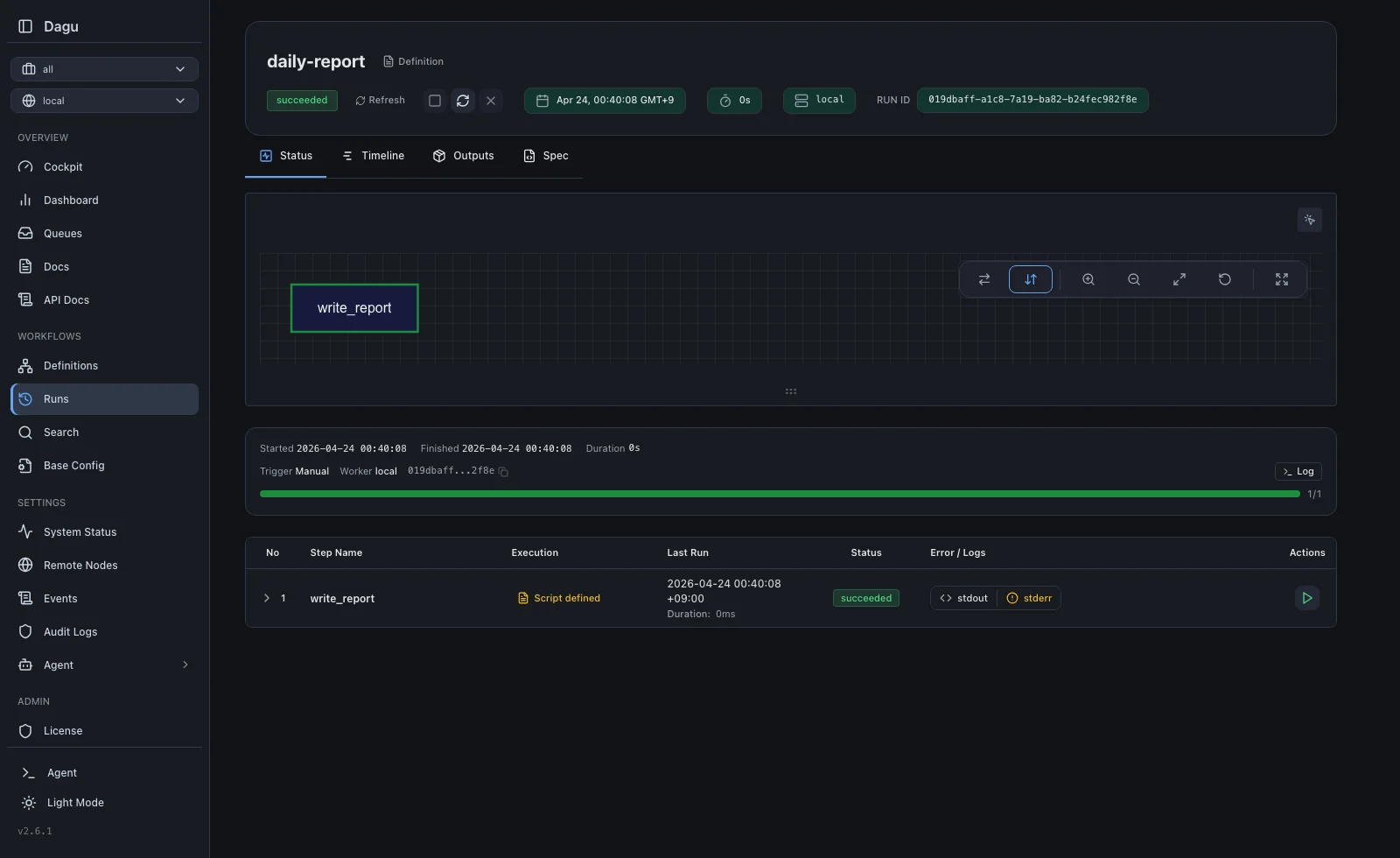
Dagu is a workflow engine written in Go and shipped as a single binary. You describe a workflow as a YAML file (steps, the dependencies between them, a cron schedule, retry rules) and Dagu runs it, keeps per-step logs and run history, and shows the lot in a built-in web UI backed by a REST API. It needs no database and no message broker; state lives in plain files under one data directory. A step can be a local shell command, a command over SSH on another machine, a Docker container, a Kubernetes Job, an HTTP request, an SQL query or one of several dozen built-in actions, S3 uploads among them. The core is GPL-3.0 and maintained by the dagucloud organization on GitHub, which also sells a self-host license (SSO, extra users, audit features) and a hosted service. You need neither to run it on your own server.
The people who self-host it are mostly those who have outgrown crontab but have no wish to operate Airflow and its scheduler, metadata database and worker fleet: an ops engineer with forty scripts on six servers and no record of which ones failed last night, a small data team running extract-and-load jobs, someone who wants GitHub events to trigger jobs on private machines. The project moves quickly. Version 2.25.4 shipped on 4 November 2026, three days after 2.25.0, so treat upgrades as a deliberate act rather than something a :latest tag does for you overnight. Older tutorials still reference the ghcr.io/dagu-org/dagu image and mounts such as ~/.dagu:/dagu; the current image is ghcr.io/dagucloud/dagu and keeps everything under /var/lib/dagu.
Our servers are in Panama City and answer to Panamanian law. A US DMCA notice has no legal effect here, and we act only on valid orders from competent Panamanian authorities.
03/06
Requirements and sizing.
Dagu publishes no hardware minimum. Upstream says only that one machine handles thousands of runs a day, with the real figure depending on CPU, memory, disk and the shape of your workflows. A step that calls curl costs next to nothing; a docker.run step that pulls a Python image and loads a CSV into pandas costs whatever pandas costs.
Port 8080 carries the web UI, the REST API and the built-in MCP endpoint at /mcp. Port 50055 is the gRPC coordinator and only matters if workers on other machines connect to it; the scheduler's health check on 8090 stays inside the container.
| Plan | vCPU / RAM / NVMe | Transfer | Price / month | Where it fits Dagu |
|---|---|---|---|---|
| Starter | 2 / 2 GB / 80 GB | 10 TB | $6.99 | Cron replacement: shell, SSH and HTTP steps, no container steps |
| Standard | 4 / 4 GB / 160 GB | 15 TB | $12.99 | Our default: SSH fan-out plus a few concurrent container steps |
| Pro | 6 / 8 GB / 320 GB | 20 TB | $22.99 | dbt, ffmpeg or memory-hungry Python steps running in parallel |
The argument for Standard is memory headroom. If each container step is capped at 512 MiB (the limit the Dagu README uses in its own example) and you set aside about 1 GB for Debian, Docker and Dagu, 4 GB leaves room for roughly six capped steps at once, where Starter's 2 GB leaves room for two. That is a theoretical calculation, not a benchmark, and it only holds if you use Dagu's queues and max_concurrent settings to stop schedules piling up on each other. If the real job is transcoding video all night, it belongs on a dedicated server (Iron: 6 cores / 12 threads, 32 GB, $64.99, unmetered traffic under fair use), with a Dagu worker there and the scheduler left on a VPS.
04/06
How to deploy it
with us.
- 01
1. Order and prepare the server
Order Standard with Debian 13 from this deploy link. We are no-KYC: an email address is enough, and payment is in crypto. Once the server is up, SSH in, apply updates and install Docker Engine with the Compose plugin following Docker's instructions for Debian. Then firewall the host down to 22, 80 and 443. One detail catches people here: ports that Docker publishes are handled by Docker's own iptables rules and slip past ufw, which is why the Compose file below publishes 8080 on
127.0.0.1only. - 02
2. Write the Compose file
mkdir -p /opt/dagu/data && cd /opt/dagu chown 1000:1000 data # the image runs as PUID/PGID 1000 by default printf 'DAGU_ADMIN_PASSWORD=%s\n' "$(head -c 24 /dev/urandom | base64)" > .env chmod 600 .env# /opt/dagu/compose.yaml services: dagu: image: ghcr.io/dagucloud/dagu:2.25.4 # pin a version; read the changelog before changing it restart: unless-stopped command: ["dagu", "start-all"] ports: - "127.0.0.1:8080:8080" # never 0.0.0.0 on a public VPS environment: - DAGU_HOST=0.0.0.0 # bind inside the container only - DAGU_TZ=America/Panama - DAGU_AUTH_MODE=builtin - DAGU_SERVER_METRICS=private - DAGU_DAGS_DIR=/var/lib/dagu/dags - DAGU_PUBLIC_URL=https://dagu.example.com - DAGU_AUTH_BUILTIN_INITIAL_ADMIN_USERNAME=admin - DAGU_AUTH_BUILTIN_INITIAL_ADMIN_PASSWORD=${DAGU_ADMIN_PASSWORD} volumes: - ./data:/var/lib/dagudocker compose up -d docker compose exec dagu dagu versionDagu creates the admin account only while its user store is empty and generates the JWT signing secret itself on first start, storing it under
data/auth. After your first login, delete the twoINITIAL_ADMINlines; Dagu ignores them once a user exists, and there is no reason to leave a password in a config file. SetDAGU_TZto whichever zone your schedules are written in. We useAmerica/Panamain the example because Panama does not change its clocks, so a 03:15 job never runs twice, or not at all, on a daylight-saving weekend. - 03
3. Reach the UI without exposing it
If you are the only user, skip the domain and the proxy:
ssh -N -L 8080:127.0.0.1:8080 root@<your-vps-ip>and openhttp://localhost:8080on your own machine. For a team, point a hostname at the VPS, install Caddy from the Debian archive and give it two lines; it obtains and renews the certificate on its own.dagu.example.com { reverse_proxy 127.0.0.1:8080 } - 04
4. Add a first workflow
Inside Docker, a
run:step executes in the Dagu container, which carries only what the image ships. Anything else should run on the target machine over SSH, in its own container, or through Dagu's pinnedtools:list. That is why the natural first workflow is one that reaches out:# /opt/dagu/data/dags/nightly-db-dump.yaml schedule: "15 3 * * *" overlap_policy: skip timeout_sec: 3600 ssh: user: backup host: db-1.example.net key: /var/lib/dagu/keys/backup_ed25519 steps: - id: dump run: /usr/local/bin/dump-db.sh retry_policy: limit: 3 interval_sec: 60 - id: check run: test -s /srv/backups/latest.sql.gz depends: dumpIf your workflows mostly operate on the VPS itself (certificate renewals, package updates, local scripts), install the native binary with the upstream installer and run it under systemd instead; fewer layers between the YAML and the commands makes for easier debugging. If you want container steps, Dagu's documentation has you mount
/var/run/docker.sockand run the container as0:0. On a single-tenant VPS that is a reasonable trade, as long as you accept what it means: anyone who can edit a DAG is root on the machine. - 05
5. Back up off the server
Everything Dagu knows sits in
/opt/dagu/data, including the token secret, the user store and run history, so back up that directory and keep the copy off the VPS. Our object storage gives you an S3-compatible bucket (an endpoint plus access keys) that restic talks to directly, and 250 GB costs $1.99 a month.apt install restic export AWS_ACCESS_KEY_ID=<key> AWS_SECRET_ACCESS_KEY=<secret> export RESTIC_REPOSITORY=s3:https://<endpoint>/<bucket>/dagu export RESTIC_PASSWORD_FILE=/root/.restic-pass restic init restic backup /opt/dagu/dataSchedule that from a systemd timer or plain cron on the host. The one job you should not hand to Dagu is the backup of Dagu, because the day it breaks is the day you need the snapshot. Restic encrypts the repository, so keep the repository password somewhere other than the VPS. For a longer walk-through, see object storage.
05/06
Cost.
| Item | Per month |
|---|---|
| Cloud VPS Standard: 4 vCPU, 4 GB, 160 GB NVMe, 15 TB transfer, 1 Gbps | $12.99 |
| Daily backups option (+20 %) | +$2.60 |
| Object storage, 250 GB, for restic snapshots | +$1.99 |
| Extra IPv4 (rarely needed for Dagu) | +$2.00 |
Standard with daily backups and a 250 GB bucket comes to $17.58 a month. Paid yearly, the VPS is about 25 % cheaper, roughly $9.75 a month for the server alone (theoretical: $12.99 × 0.75). The plan includes an IPv4 address and outbound port 25, which is open on every VPS, so Dagu's SMTP notifications can reach a relay or a recipient's mail server directly; mail sent straight to an MX from a fresh IP often lands in spam, so most people point Dagu at a relay anyway.
We take crypto only: AVAX, BCH, BNB, BTC, DOGE, ETH, LTC, SOL, TRX, USDC, USDT and XMR, with prices and balances in US dollars. Top-ups run from $25 to $5,000 and carry a bonus of 5 % from $50, 10 % from $100, 15 % from $250 and 20 % from $500; the unused paid part of a top-up is refundable within 14 days. A $100 top-up therefore gives a $110 balance, about eight and a half months of Standard at list price (theoretical). Every plan is on the pricing page.
06/06
Limits and acceptable
use.
VPS traffic is metered. Standard includes 15 TB a month, and Dagu's own traffic is a rounding error; image pulls and any workflow that moves data are what count. At the full 1 Gbps line rate, 15 TB lasts about 33 hours (theoretical: 15 × 10¹² bytes ÷ 125 × 10⁶ bytes per second ≈ 120,000 s), or about 500 GB a day averaged over a month.
You run the instance, so the obligations are yours: keep authentication on, patch Debian and Dagu, protect the SSH keys and tokens your workflows use, and make sure what they do is lawful. An orchestrator holding keys to other machines does not change what is acceptable on our network. We forward copyright complaints to the customer and act on a decision of a competent Panamanian authority, or where the content is manifestly unlawful. If your workflows process personal data of people in the EU, note that Panama has no EU adequacy decision, so the transfer needs appropriate safeguards such as the 2021 standard contractual clauses; Panama's own regime is Law 81 of 2019, implemented by Executive Decree 285 of 2021.
The disk of a Dagu server holds credentials for every system it touches, which makes its jurisdiction a practical question. Panama Host is operated by Cyber Host International, S.A., Addison House Plaza, 1st floor, Panama City. Article 29 of Panama's Constitution allows private communications to be intercepted only on the order of a judicial authority, and private documents to be examined only on the order of a competent authority for specific purposes. As of 31 October 2026 the US Department of Justice lists CLOUD Act executive agreements only with the United Kingdom and Australia, none with Panama; but Panama and the United States have had a mutual legal assistance treaty in criminal matters in force since 6 September 1995, so foreign requests go through Panamanian procedure rather than around it. Law 51 of 2009 requires telecommunications companies and other communication networks to keep certain user data for six months, and whether that reaches a hosting provider is a question for Panamanian counsel. Our offshore hosting page covers this in more depth. For anything specific to your account, open a support ticket from the client panel.
Catalogue·Options
Every configuration, every option, every price.
Six cloud VPS plans on AMD EPYC with local NVMe. Transfer is included on every plan, from 10 TB to 100 TB a month.
| Plan | vCPU | Memory | NVMe | Transfer | Port | Price | Deploy |
|---|---|---|---|---|---|---|---|
| StarterStaging, dev | 2 | 2 GB | 80 GB | 10 TB / month | 1 Gbps | $6.99/mo | Deploy Starter |
| StandardRecommendedSmall apps | 4 | 4 GB | 160 GB | 15 TB / month | 1 Gbps | $12.99/mo | Deploy Standard |
| ProProduction | 6 | 8 GB | 320 GB | 20 TB / month | 1 Gbps | $22.99/mo | Deploy Pro |
| PowerHeavy workloads | 12 | 16 GB | 640 GB | 40 TB / month | 2 Gbps | $42.99/mo | Deploy Power |
| UltraDatabases | 16 | 32 GB | 1000 GB | 60 TB / month | 2 Gbps | $65.99/mo | Deploy Ultra |
| TitanDense hosts | 32 | 64 GB | 2000 GB | 100 TB / month | 5 Gbps | $119.99/mo | Deploy Titan |
Every plan runs on AMD EPYC with local NVMe. Yearly billing costs about 25% less.
Every plan
- AMD EPYCon every host
- Local NVMenot network storage
- DDoS protectionalways on
- 1 IPv4 addressmore at $2 each
- VNC consoleand full root access
FAQ
Questions
people ask first.
Short answers about running this in PTY1. If yours is not here, open a ticket from your panel.
Is the Starter plan enough for Dagu?
For shell, SSH and HTTP steps, yes: 2 vCPU and 2 GB for $6.99 a month handle a long list of scheduled jobs. Once you add container steps, or any step that loads data into memory, 2 GB leaves too little room next to Docker and the OS, and Standard is the better starting point.
Should I run Dagu in Docker or as a native binary?
Docker when your workflows mostly reach out to other hosts, APIs or containers, because upgrades and rollbacks become a one-line tag change. The native binary under systemd when they mostly act on the VPS itself, because host scripts then run directly instead of through a container that lacks your tools.
Can Dagu start Docker containers as workflow steps on your VPS?
Yes, by mounting the Docker socket into the Dagu container and running it as root, as Dagu's documentation describes. That gives every workflow control of the host's Docker daemon, so use it only on an authenticated instance where you trust everyone who can edit DAGs.
Does a self-hosted Dagu report anything to its developers?
Dagu Console monitoring is opt-in: a server reports nothing until an administrator turns it on, and when enabled it sends run metadata over outbound HTTPS rather than logs, outputs or secrets. If you want the server quiet, leave it off.
Can several people have their own logins?
The community edition includes builtin login and the first administrator without a license. Additional users, more API keys than the default limit, and OIDC single sign-on need a Dagu self-host license, which Dagu sells and we do not. One administrator account plus API keys for automation covers many small setups.
How do I upgrade Dagu safely?
Take a restic snapshot, read the changelog between your version and the target, change the pinned tag in compose.yaml, then run docker compose pull && docker compose up -d. Reading the changelog is not ceremony: Dagu's own README warns that scoped notification routing was broken in 2.11.0 to 2.11.2 and fixed in 2.11.3.
Sources
Every fact on this page, with its source
Accessed 4 Nov 2026 unless noted.
Panamanian law and authorities
- Panama Law 81 of 26 March 2019 and Executive Decree 285 of 28 May 2021Gaceta Oficial 28743-A
- Panama Law 51 of 2009, article 6 (six-month retention)Gaceta Oficial 26374
- Article 29 of Panama's ConstitutionG.O. 25176 (Legispan)
EU and other countries
- CLOUD Act executive agreements (United Kingdom and Australia only)US Department of Justice · verified 31 Oct 2026
- No EU adequacy decision for Panama; safeguards underGDPR article 46
Industry, providers and software
- Dagu READMEgithub.com/dagucloud/dagu
- Dagu releasev2.25.4
- Former image name and mount pathsdagu-org/dagu v1.17.0 on pkg.go.dev
- Docker Engine installation on Debiandocs.docker.com/engine/install/debian
Other references
- Dagu docsInstall with Docker
- Dagu docsDocker deployment
- Dagu docsDocker Compose
- Dagu docsBuiltin authentication
- Panama–US mutual legal assistance treaty, in force since 6 September 1995US Department of State
Your server in Panama,
ready when you are.
Cloud VPS start at $6.99 a month and are ready 60 to 120 seconds after you order.